
Similar Triangles #2: Dynamic Construction via Rotation and Parallel Lines
Loading the math board and drawing, please wait…
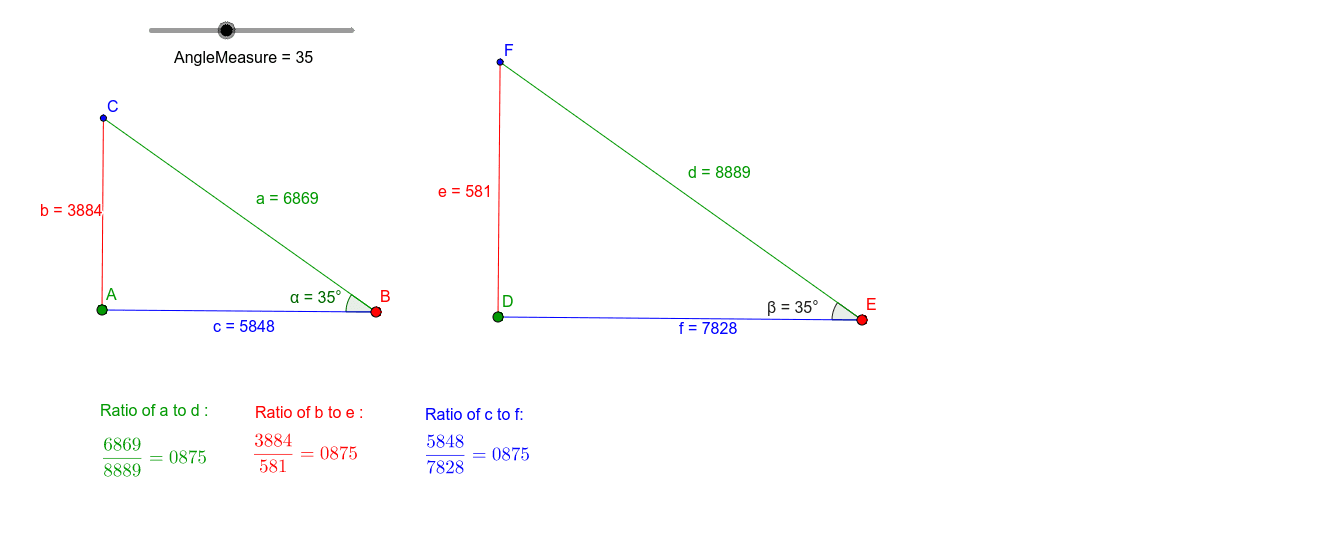
This GeoGebra example demonstrates how to construct a pair of similar triangles using rotation, parallel lines, and intersection points, then verify their similarity through angle measurements. The core mathematical concepts include the AA (angle-angle) similarity criterion, rotation preserving angles, properties of parallel lines, and the auxiliary roles of parallelograms and kites. Construction highlights: the Segment command creates base segments, Rotate generates rotated sides, Angle measures angles, Ray constructs rays, OrthogonalLine draws perpendiculars, and Intersect finds intersection points. Key objects include points A, B, C, D, E, F, angles α and β, and auxiliary lines g, h, l, m. This resource is ideal for middle school or high school geometry classes, supporting both teacher demonstrations and student exploration of similarity conditions and dynamic geometric reasoning.
GeoGebra Commands & Parameters
Segment(A, B) → cRotate(A, (-(AngleMeasure°)), B) → A'Angle(A', B, A) → αRay(B, A') → gOrthogonalLine(A, c) → hIntersect(h, g) → CSegment(C, A) → bSegment(C, B) → aSegment(D, E) → fRotate(D, (-(AngleMeasure°)), E) → D'Angle(D', E, D) → βRay(E, D') → lOrthogonalLine(D, f) → mIntersect(m, l) → FSegment(F, D) → eSegment(F, E) → d