
Sierpinski Triangle by Steve Phelps
Loading the math board and drawing, please wait…
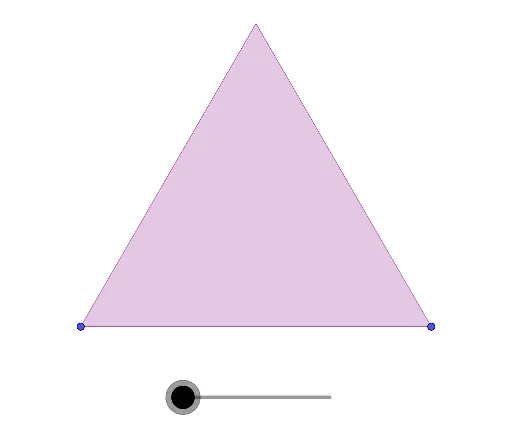
This example demonstrates the generation of the Sierpinski Triangle. It involves key mathematical concepts such as fractal geometry and similar triangles. Using the Polygon and Dilate commands, the construction of the Sierpinski Triangle is shown step-by-step. Suitable for high school and above students or teachers.
GeoGebra Commands & Parameters
Polygon(A, B, 3) → poly1, f, g, h, CDilate(poly1, 1 / 2, A) → A1Dilate(poly1, 1 / 2, B) → B1Dilate(poly1, 1 / 2, C) → C1Dilate({A1, B1, C1}, 1 / 2, A) → A2Dilate({A1, B1, C1}, 1 / 2, B) → B2Dilate({A1, B1, C1}, 1 / 2, C) → C2Dilate({A2, B2, C2}, 1 / 2, A) → A3Dilate({A2, B2, C2}, 1 / 2, B) → B3Dilate({A2, B2, C2}, 1 / 2, C) → C3Dilate({A3, B3, C3}, 1 / 2, A) → A4Dilate({A3, B3, C3}, 1 / 2, B) → B4Dilate({A3, B3, C3}, 1 / 2, C) → C4Dilate({A4, B4, C4}, 1 / 2, A) → A5Dilate({A4, B4, C4}, 1 / 2, B) → B5Dilate({A4, B4, C4}, 1 / 2, C) → C5Dilate({A5, B5, C5}, 1 / 2, A) → A6Dilate({A5, B5, C5}, 1 / 2, B) → B6Dilate({A5, B5, C5}, 1 / 2, C) → C6Dilate({A6, B6, C6}, 1 / 2, A) → A7Dilate({A6, B6, C6}, 1 / 2, B) → B7Dilate({A6, B6, C6}, 1 / 2, C) → C7
AI Drawing Prompt Reference
Draw an equilateral triangle ABC, then shrink it by half with A as the center to get a new triangle A1B1C1; next, shrink A1B1C1 by half with B as the center to get a new triangle A2B2C2; repeat this process, with C as the center, shrinking the previous triangle by half, multiple times to form the Sierpinski triangle.
The prompt above was compiled from the original drawing commands and is for reference only.