
Shoot the Red Dot: A Vector Translation Game
Loading the math board and drawing, please wait…
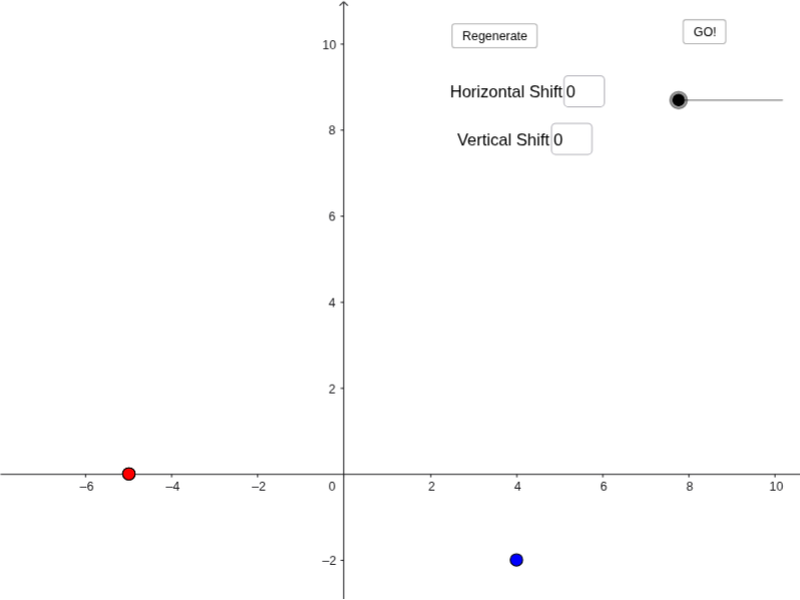
① This is an interactive mini-game where players input vector components to move a target point and 'shoot' a red dot, demonstrating translations and vector notation in a playful way. ② Core math concepts include coordinate representation of plane vectors, vector addition (composition of translations), point coordinate changes, and a touch of randomness/probability (the red dot may be placed randomly). ③ Construction highlights: using GeoGebra's Textfield and Vector commands, creating buttons (button1, button2) to trigger movement, reading xmove and ymove from input boxes (inputBox1, inputBox2), constructing vectors u and v, points B, D, A, E, and using variables like movexdir for dynamic updates, with text1 and text2 providing instructions. ④ Suitable for middle-to-high school students first learning vectors and translations, or as a fun activity in math clubs or computational thinking lessons, bridging abstract vector symbols with concrete coordinate movements.
GeoGebra Commands & Parameters
Textfield(xmove) → inputBox1Textfield(ymove) → inputBox2Vector(B, xpt) → uVector(xpt, ypt) → v
AI Drawing Prompt Reference
Create an interactive game where users input vector components via two input boxes and a button to demonstrate vector translation. There's a starting point and a target point, a vector is generated based on user inputs, moving the starting point along this vector to reach the target. The target appears randomly on the canvas, users try to hit it by inputting vectors, with vector coordinates and instructions displayed.
The prompt above was compiled from the original drawing commands and is for reference only.