
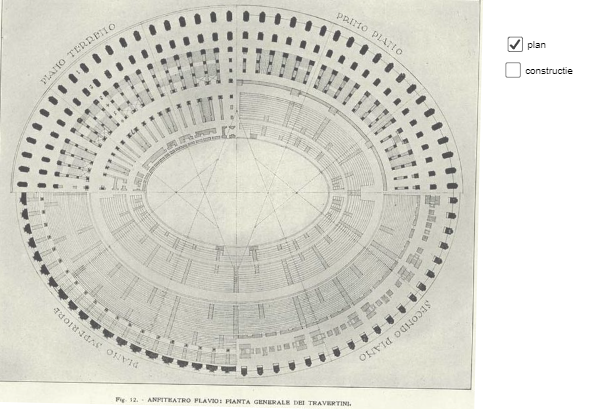
Shape of the Colosseum: Ellipse or Circle?
Loading the math board and drawing, please wait…
In collections
circles, ovals, ellipses and architecture
This example explores whether the shape of the Colosseum is an ellipse or a circle, and demonstrates how to construct it using geometric methods. Key mathematical concepts include circles, ellipses, angles, and isosceles triangles. Construction involves GeoGebra commands such as Mirror, CircleArc, Point, Segment, and CircleSector. Suitable for middle school students or high school students learning geometric construction and coordinate geometry.
GeoGebra Commands & Parameters
Mirror(G, xAxis) → G'CircleArc(D, G', G) → cPoint(yAxis) → JCircleArc(J, G, F) → dMirror(c, yAxis) → c'Mirror(d, xAxis) → d'_{1}Mirror(d, O) → d'CircleArc(C, H, L) → eMirror(e, xAxis) → e'Mirror(d, yAxis) → d'_{2}Segment(C, H) → fPoint(e) → MSegment(C, M) → gSegment(N, P) → hPoint(yAxis) → QSegment(F, Q) → iPoint(d'_{2}) → RSegment(Q, R) → jPoint(c') → SSegment(K, S) → kPoint(j) → TPoint(c') → USegment(T, U) → lPoint(g) → VSegment(V, G') → mCircleSector(Q, F, R) → pCircleSector(C, H, M) → qCircleSector(E, U, S) → rCircleSector(D, G', N) → sCircleSector(T, R, U) → tCircleSector(P, N, F) → c_1CircleSector(K, S, H) → d_1CircleSector(V, M, G') → e_1
AI Drawing Prompt Reference
Create a geometry construction diagram in a coordinate plane with both a horizontal and a vertical symmetry axis. Define a center-related point set and several arc endpoints. First draw a circle arc using the original endpoints and then mirror the resulting arc across the horizontal axis and the vertical axis to obtain symmetric arc pieces. Construct a second arc family by choosing its endpoints and drawing another circle arc, then reflect it as needed for symmetry. Connect selected key endpoints with line segments to show the intended length/connection structure. Finally, draw several circle sectors (wedge shapes) whose central vertices are at the chosen center points and whose rays pass through the connected endpoints, highlighting how a circular/elliptic-like boundary can be formed.
The prompt above was compiled from the original drawing commands and is for reference only.