
Sequence of Line Segments: Constructing Consecutive Segments in GeoGebra
Loading the math board and drawing, please wait…
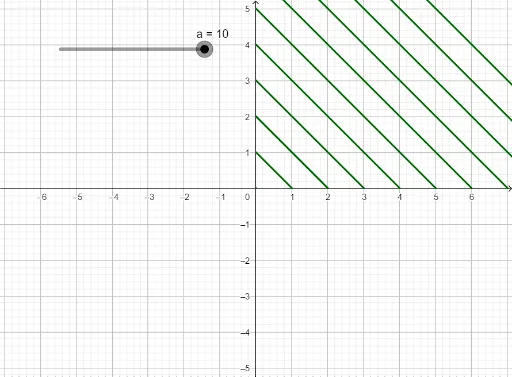
①This example demonstrates how to use the Sequence command in GeoGebra to generate a series of connected line segments, forming a polyline or step-like figure. ②The core mathematical concepts involve sequences and series, where parameterized coordinates control segment endpoints, illustrating the link between discrete point sets and continuous shapes. ③Construction highlights: from the summary, the Sequence command is used with objects a and l1, where a likely serves as a step or parameter, and l1 is the resulting list of segments; each new segment is generated iteratively, with endpoints determined by the previous segment's endpoint plus a fixed vector or function value. ④This is suitable for middle school to early college students, helping them understand geometric representations of sequences, parametric equations, and sequence-based construction in dynamic geometry, as well as serving as an introductory example of programmatic geometric construction.
GeoGebra Commands & Parameters
Sequence(Segment[(0, n), (n, 0)], n, 0, a) → l1