
Sections of a Sphere
Loading the math board and drawing, please wait…
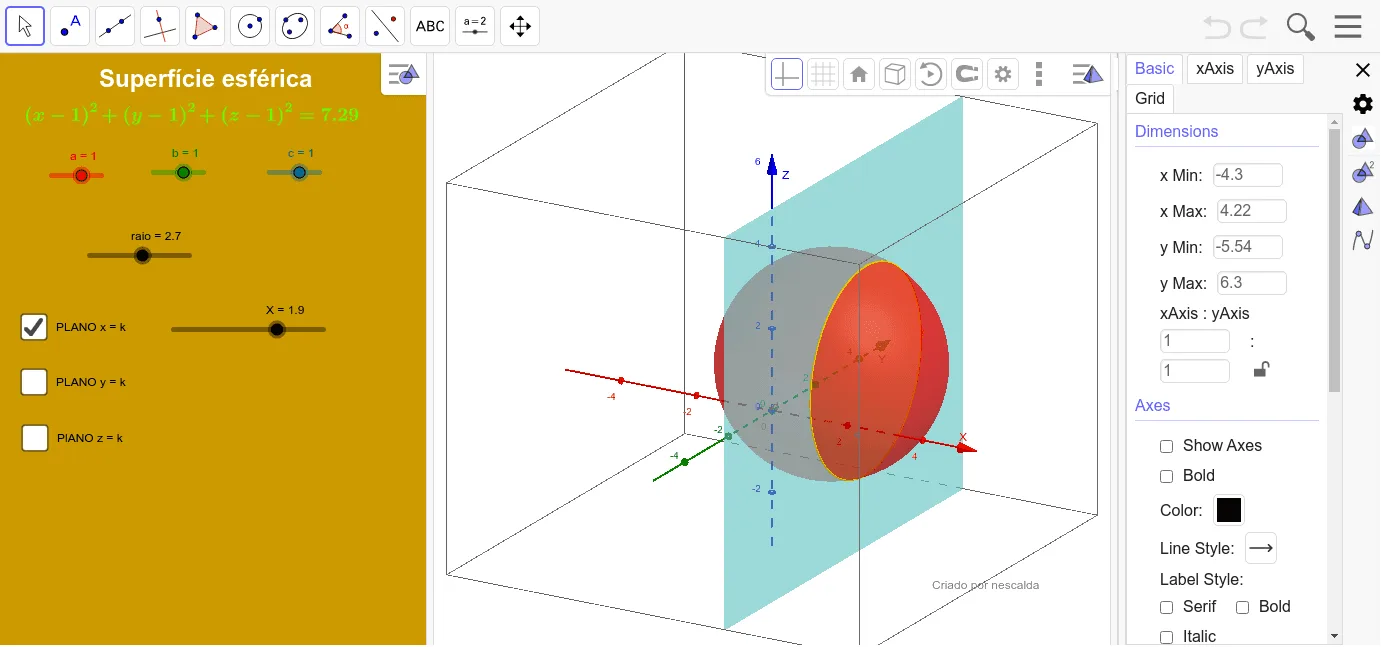
Move the sliders to visualize different sections of a sphere. This example demonstrates the geometric construction of sphere sections. It uses the IntersectPath command. Suitable for middle school and above students to learn solid geometry.
GeoGebra Commands & Parameters
IntersectPath(e, d) → fIntersectPath(i, d) → pIntersectPath(h, d) → k
AI Drawing Prompt Reference
Draw a sphere and add two sliders to control the positions of two cross-sections. Move the sliders to visualize different shapes of the cross-sections. Use an intersection tool to mark the lines where the cross-sections intersect the sphere. Start by drawing the sphere, then draw the cross-section lines based on the slider positions, and finally find the intersection points and connect them to form the cross-section shapes.
The prompt above was compiled from the original drawing commands and is for reference only.