
Scatter Plot and Best Fit Line
Loading the math board and drawing, please wait…
In collections
学习 GeoGebra 经典应用
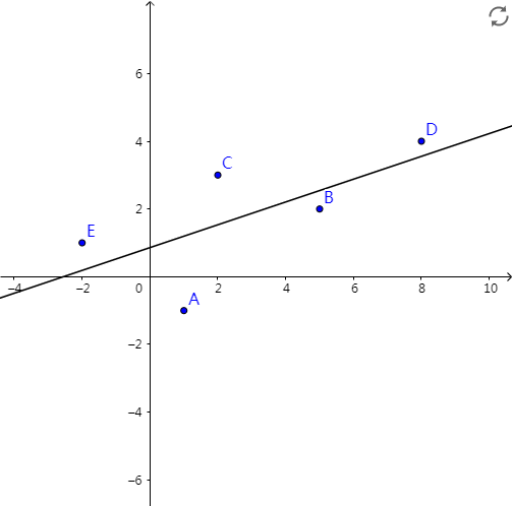
This example demonstrates how to create a scatter plot and explore the best fit line using GeoGebra. A scatter plot is a common statistical graph used to display the relationship between data points. The best fit line is the line that is closest to the data points, used for predicting unknown data. Key math concepts include linear regression and statistical analysis. Construction points include using the FitLineY command and objects A1-A5, B1-B5, etc. Suitable for middle school math, statistics, and data analysis.
GeoGebra Commands & Parameters
FitLineY({A, B, C, D, E}) → a
AI Drawing Prompt Reference
Draw a scatter plot with five points labeled A1 to A5 and five points labeled B1 to B5. The points A1 to A5 should be in the lower left area, and points B1 to B5 in the upper right area. After drawing the points, add a best-fit line that is as close as possible to all points. Ensure the plot is clear and labels the points and the line.
The prompt above was compiled from the original drawing commands and is for reference only.