
Scale Factor: Surface Area and Volume Relationship
Loading the math board and drawing, please wait…
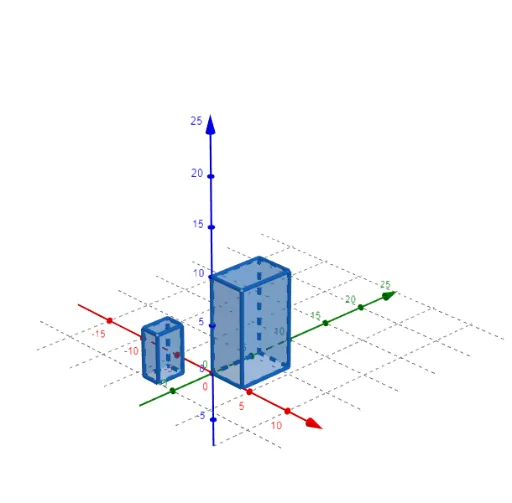
This interactive GeoGebra example demonstrates how surface area and volume change when a 3D prism is scaled using a scale factor. The core mathematical concepts include: the power relationship between scaling and measurements (length scales by k, area by k², volume by k³), exponential operations, and geometric measure variations. Construction details: Uses the Polygon command to draw the polygonal base, Prism command to create the prism, and PointIn command to label faces (face1-5) and edges (edge1-8). A slider controls the ScaleFactor for dynamic scaling. Suitable for middle to high school mathematics teaching, helping students understand similar figures, geometric measures, and practical applications of exponential functions.
GeoGebra Commands & Parameters
Polygon(A, B, C, D) → q1, a, b, c, dPrism(q1, height) → e, E, edge1, edge2, edge3, edge4, edge5, edge6, edge7, edge8, F, G, H, face1, face2, face3, face4, face5Polygon(I, J, K, L) → q2, i, j, k, lPrism(q2, 5) → f, M, edgeIM, edgeJN, edgeKO, edgeLP, edgeMN, edgeNO, edgeOP, edgeMP, N, O, P, faceIJNM, faceJKON, faceKLPO, faceILPM, faceMNOPPointIn(face2) → Pointface2
AI Drawing Prompt Reference
Create a 3D prism that can be dynamically scaled to show how surface area and volume change with a scale factor. Start with a quadrilateral base, then extrude it upward to form a prism with five faces and eight edges. Add a second smaller prism with a quadrilateral base and fixed height for comparison. Place a point on a side face of each prism to observe scaling effects. Include a slider to control the scale factor; as it changes, the prism scales uniformly, with surface area changing by the square and volume by the cube of the factor, illustrating the exponential relationship.
The prompt above was compiled from the original drawing commands and is for reference only.