
Scale Factor and Perimeter/Area Changes
Loading the math board and drawing, please wait…
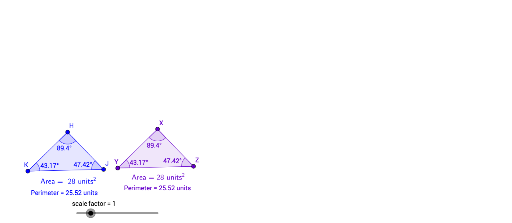
This example demonstrates how the perimeter and area of a figure change under similar transformations. Key mathematical concepts include similar transformations, scale factor, and the calculation of area and perimeter. Using GeoGebra commands such as Polygon, Point, Segment, and Dilate, one can observe the changes in perimeter and area before and after the transformation. Suitable for middle and high school students studying similar transformations and geometric constructions.
GeoGebra Commands & Parameters
Polygon(A, B, C) → poly1, c, a_1, bPoint(Circle[D, (a_1 * scale_ factor)]) → EPoint(Circle[E, (scale_ factor * b)]) → FSegment(E, F) → gAngle(F, E, D) → βPoint(Circle[F, (scale_ factor * c)]) → GPolygon(H, K, J) → poly2, j, h, iVector(K_1, L) → uTranslate(H, u) → H'Translate(K, u) → YTranslate(J, u) → J'Polygon(H', Y, J') → poly2', j', h', i'Dilate(H', scale_ factor, Y) → XDilate(Y, scale_ factor, Y) → I''Dilate(J', scale_ factor, Y) → ZPolygon(X, I'', Z) → poly2'', j'', h'', i''Angle(H, J, K) → αAngle(J, K, H) → γAngle(K, H, J) → δAngle(Y, X, Z) → εAngle(X, Z, Y) → ζAngle(Z, Y, X) → η