
Triangle Ratios Demo by estherwenzel
Loading the math board and drawing, please wait…
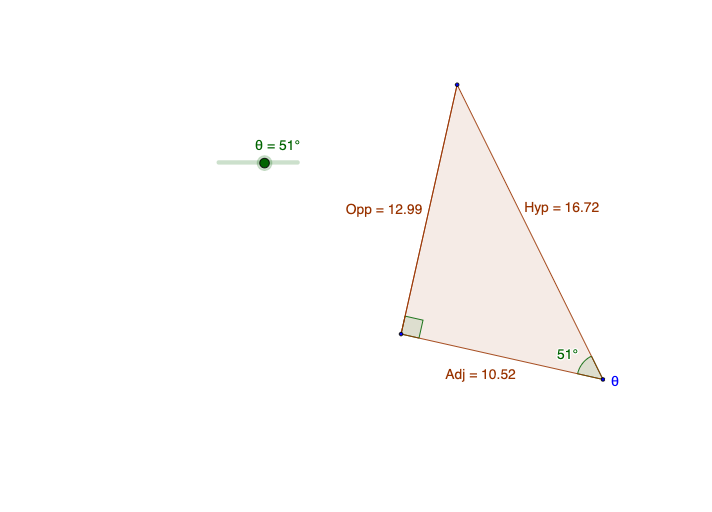
This example demonstrates the ratio relationships within a triangle, involving core mathematical concepts such as ratios, probability, reflection, algebra, logarithmic functions, and perimeter. It visually showcases the geometric properties and transformations of triangles using GeoGebra commands like Rotate, Ray, Intersect, Segment, Polygon, and Angle. Suitable for high school mathematics education to understand geometric constructions and the application of complex functions.
GeoGebra Commands & Parameters
Rotate(B, (-a), A) → B'Ray(A, B') → hRotate(A, 90°, B) → A'Ray(B, A') → fIntersect(f, h) → CSegment(C, B) → jPolygon(B, C, A) → poly1, a_1, b, cAngle(A, B, A') → αRay(B, A) → gAngle(B', A, B) → βAngle(B, C, A) → γ
AI Drawing Prompt Reference
Draw a triangle and demonstrate the ratio relationships within it. First, draw a perpendicular line from vertex A to the opposite side, then rotate this line segment by 90 degrees around points A and B to create two rays that intersect at point C. Connect point C to vertex B to form a new triangle. Label the three interior angles α, β, γ, and show the ratio relationships between these angles and the triangle's side lengths.
The prompt above was compiled from the original drawing commands and is for reference only.