
Say It with Decimals: GeoGebra Example
Loading the math board and drawing, please wait…
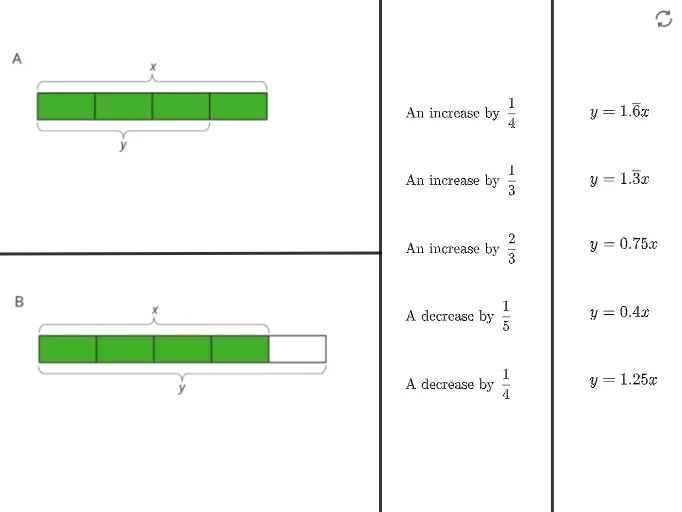
This example demonstrates how to use decimals to express and manipulate mathematical objects like line segments and points using GeoGebra. It involves core concepts such as decimal operations, coordinate geometry, and geometric constructions. Key GeoGebra commands used include Segment, Point, and objects like pic1, pic2, text1. Suitable for middle school mathematics teaching to help students understand the connection between decimals and geometric shapes, enhancing their ability to combine numerical and visual reasoning.
GeoGebra Commands & Parameters
Segment(E, F) → fSegment(G, H) → gPoint(f) → ISegment(I, J) → h
AI Drawing Prompt Reference
Draw a figure with two line segments, f connecting points E and F, and g connecting points G and H. Take point I on line segment f, then draw line segment h from point I to point J. Ensure point I is determined by line segment f, and line segment h forms a triangle with f and g.
The prompt above was compiled from the original drawing commands and is for reference only.