
Rotations Tool: Interactive Polygon Rotation Around a Point
Loading the math board and drawing, please wait…
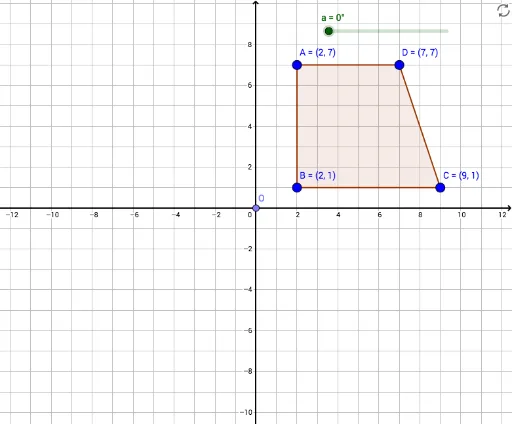
① This GeoGebra example demonstrates the rotation of a polygon around a fixed point O by a specified angle, showing the original and transformed figures simultaneously. ② The core mathematical concept is the rotation transformation in plane geometry, including the roles of the center of rotation, the angle of rotation, and the correspondence between pre-image and image points, which also relates to congruence and rigid motions. ③ Construction details: use the Point command to create the center O and vertices A, B, C, D; use Polygon to form the original polygon poly1; then apply the Rotate command to rotate both the points and the polygon around O, producing the rotated points A', B', C', D' and polygon poly1', while keeping the original for comparison. ④ This is suitable for middle school to high school students learning geometric transformations, and for teachers to visually explain that rotation preserves size and shape.
GeoGebra Commands & Parameters
Point(yAxis) → OPolygon(A, B, C, D) → poly1, a_1, b, c, dRotate(A, a, O) → A'Rotate(B, a, O) → B'Rotate(C, a, O) → C'Rotate(D, a, O) → D'Polygon(A', B', C', D') → poly1', a', b', c', d'
AI Drawing Prompt Reference
Draw a quadrilateral ABCD, then rotate it 45 degrees around point O, showing both the original and the rotated quadrilateral. Point O is the center of rotation, and A, B, C, D are the vertices of the quadrilateral.
The prompt above was compiled from the original drawing commands and is for reference only.