
Rotations on the Cartesian Plane by mathspace
Loading the math board and drawing, please wait…
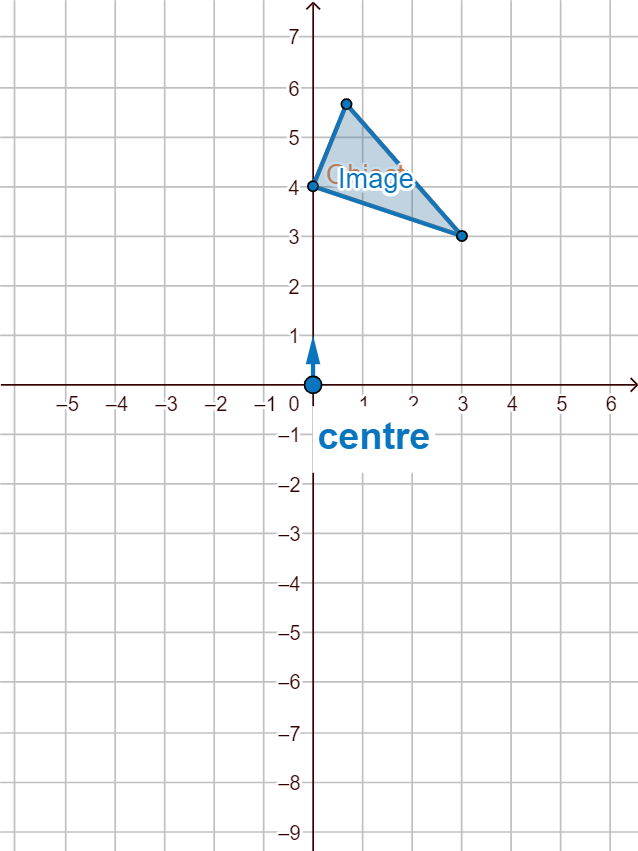
This example demonstrates the process of rotating polygons on the Cartesian plane. It involves core mathematical concepts such as rotation, geometric transformations, equations, vectors, and coordinate geometry. The construction utilizes GeoGebra commands and objects like Polygon, Dilate, Ray, Translate, Vector, Rotate, Line, Mirror, Angle, and Point. It is suitable for high school students learning about geometric transformations and coordinate geometry.
GeoGebra Commands & Parameters
Polygon(C, D, B) → poly1, b, c, dDilate(C, a, A) → C'_1Dilate(D, a, A) → D'_1Dilate(B, a, A) → B'_1Polygon(C'_1, D'_1, B'_1) → poly1'_1, b', c', d'Ray(A, C) → eRay(A, B) → fRay(A, D) → gTranslate(C, Vector[(horz, vert)]) → C'_2Translate(D, Vector[(horz, vert)]) → D'_2Translate(B, Vector[(horz, vert)]) → B'_2Polygon(C'_2, D'_2, B'_2) → poly1'_2, b'_1, c'_1, d'_1Vector(C, C'_2) → uVector(B, B'_2) → vVector(D, D'_2) → wRotate(C, (-α), A) → C'_3Rotate(D, (-α), A) → D'_3Rotate(B, (-α), A) → B'_3Polygon(C'_3, D'_3, B'_3) → poly1'_3, b'_2, c'_2, d'_2Line(F, E) → hMirror(C, h) → C'Mirror(D, h) → D'Mirror(B, h) → B'Polygon(C', D', B') → poly1', b'_3, c'_3, d'_3Vector(A, G) → zAngle(G, A, H) → βPolygon(I, J, K, L) → poly2, i, j, k_1, lPoint(j) → PPolygon(M, N, O, P) → poly3, m, n, o, p
AI Drawing Prompt Reference
Draw a triangle on the Cartesian plane and show its transformations. First, dilate the triangle from a center point by a scale factor, creating a smaller triangle, and draw rays from the center to the original vertices. Then translate the original triangle by a vector, showing the translated triangle and the translation vectors. Next, rotate the original triangle around the same center by an angle, producing a rotated triangle. Reflect the original triangle across a line to get a mirrored triangle. Finally, draw a quadrilateral, place a point on one of its sides, and draw another quadrilateral that includes this point, while also marking the rotation angle and a vector.
The prompt above was compiled from the original drawing commands and is for reference only.