
Rotations by Gerard Marrone
Loading the math board and drawing, please wait…
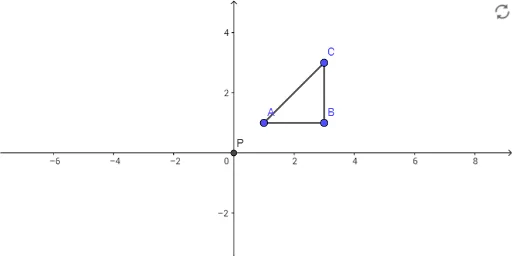
This example demonstrates the transformation of a triangle through rotation, highlighting geometric properties and transformations. It uses commands like Segment and Intersect to construct the triangle and its rotated image, suitable for middle school and higher education in mathematics to understand basic rotation principles and operations.
GeoGebra Commands & Parameters
Segment(A, C) → fSegment(C, B) → gSegment(B, A) → hIntersect(xAxis, yAxis) → P
AI Drawing Prompt Reference
Draw a triangle by connecting three points with line segments, then draw the x and y axes of the coordinate system and mark the intersection point of the two axes. Finally, rotate the triangle around this intersection point to show the relationship between the rotated triangle and the original shape, emphasizing the geometric transformation properties of rotation.
The prompt above was compiled from the original drawing commands and is for reference only.