
Rotational Symmetry Interactive Demo
Loading the math board and drawing, please wait…
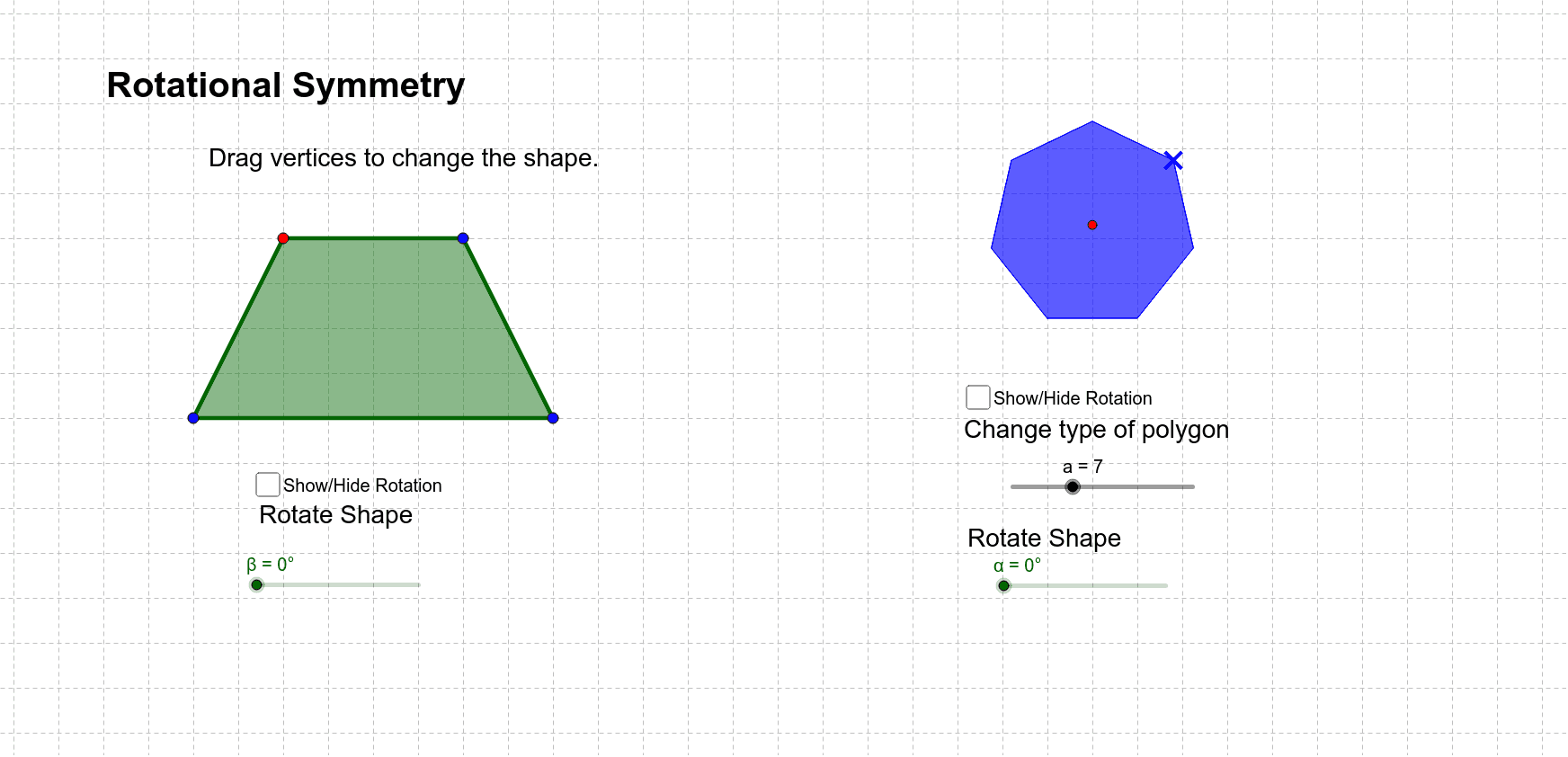
This example demonstrates how to determine the order of rotational symmetry for quadrilaterals and regular polygons through interactive exploration. Key math concepts include rotational symmetry, angles, and geometric transformations. It utilizes GeoGebra commands like Polygon, LineBisector, Intersect, Rotate, and Segment. Suitable for middle school students and math enthusiasts learning about geometric transformations and symmetry.
GeoGebra Commands & Parameters
Polygon(C, D, a) → poly1, b, n, p, q, r, s, t, E, F, G, H, c, J, K, L, M, N, O_1, P, Q, R, d, e, f, g, j, k, mLineBisector(c) → hLineBisector(d) → iIntersect(h, i) → IRotate(poly1, α, I) → poly1'Rotate(F, α, I) → F'Polygon(W, Z, A_1, B_1) → poly2, w, z, a_1, b_1Segment(Z, B_1) → c_1Segment(A_1, W) → d_1Intersect(c_1, d_1) → C_1Rotate(W, β, C_1) → W'Rotate(Z, β, C_1) → Z'Rotate(A_1, β, C_1) → D_1Rotate(B_1, β, C_1) → E_1Polygon(W', Z', D_1, E_1) → poly2', w', z', d_2, e_1
AI Drawing Prompt Reference
Draw a quadrilateral and a regular polygon to demonstrate rotational symmetry. First, create a quadrilateral, then find the angle bisectors of two of its sides and let them intersect at a point. Rotate the quadrilateral around this intersection point to observe the relationship between the rotated and original shapes. Next, draw a regular polygon and rotate a part of it around a chosen center point to illustrate rotational symmetry.
The prompt above was compiled from the original drawing commands and is for reference only.