
Rotational Symmetry Exploration
Loading the math board and drawing, please wait…
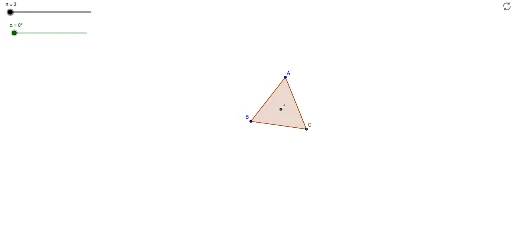
This example demonstrates rotational symmetry of polygons by dynamically rotating a shape to show the relationship between its symmetry axes and rotation angles. Core math concepts include rotational symmetry, angles, polygon construction, and geometric transformations. GeoGebra commands and objects used are Polygon, LineBisector, Intersect, Rotate, with parameters like n (order), α (angle), and poly1 (polygon). Suitable for middle school and above students learning geometric transformations, symmetry, and properties of shapes, or for mathematical exploration activities.
GeoGebra Commands & Parameters
Polygon(A, B, n) → poly1, a, j, C, D, E, F, G, H, I, J, b, c, d, e, f, g, h, iLineBisector(b) → kLineBisector(a) → lIntersect(k, l) → KRotate(poly1, α, K) → poly1'
AI Drawing Prompt Reference
Draw a regular polygon and then rotate it around a central point to explore its rotational symmetry. First, create a regular polygon, then find the midpoints of its diagonals and draw the perpendicular bisectors of these midpoints, which intersect at the rotation center. Finally, rotate the polygon around this center to observe the relationship between the rotation angle and the symmetry axes.
The prompt above was compiled from the original drawing commands and is for reference only.