
Rotational Symmetry Example: Dynamic Construction with Polygons and Circles
Loading the math board and drawing, please wait…
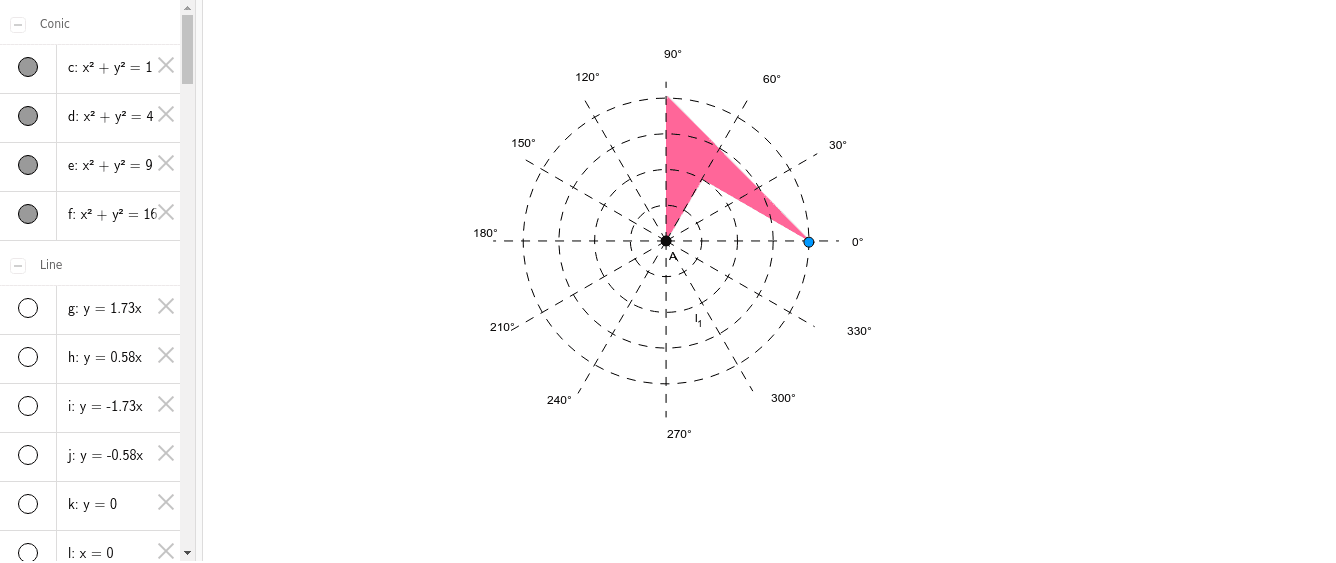
This example demonstrates the construction of geometric figures with rotational symmetry using rotation operations, and shows their connections to circumcircles, angles, and 3D vectors. Core mathematical concepts include rotational symmetry, circumscribed circles, angle measurement, vectors, and statistical characteristics such as confidence intervals represented geometrically. Construction highlights: using GeoGebra commands Point, Segment, Circle, Intersect, Rotate, and Polygon to create points, segments, circles, intersections, and rotated polygons, involving numerous named objects (l, H, h, J, g, I, E, C, A, r, q, p, f, B_1, R, d, U, B, c, D, e, i, j, k, F, m, G, n, K, s, L, t, M, a, N, b, O, f_1, P, g_1) to form symmetric patterns via rotation. Suitable for middle and high school geometry teaching, math experiments, or dynamic demonstrations, helping students intuitively understand properties of rotational symmetry and interrelations among geometric objects.
GeoGebra Commands & Parameters
Point(l) → HPoint(h) → JPoint(g) → ISegment(A, J) → rSegment(A, I) → qSegment(A, H) → pCircle(A, E) → fIntersect(f, r, 1) → B_1Intersect(f, p, 1) → RCircle(A, C) → dIntersect(d, q, 1) → UPoint(xAxis) → BCircle(A, B) → cCircle(A, D) → ePoint(j) → FSegment(A, F) → mPoint(i) → GSegment(A, G) → nPoint(j) → KSegment(A, K) → sPoint(k) → LSegment(A, L) → tPoint(l) → MSegment(A, M) → aPoint(g) → NSegment(A, N) → bPoint(h) → OSegment(A, O) → f_1Point(k) → PSegment(A, P) → g_1Intersect(e, n, 1) → QIntersect(e, q, 1) → SIntersect(e, p, 1) → TRotate(A, 90°, A) → A'Rotate(Q, 90°, A) → Q'Rotate(R, 90°, A) → R'Rotate(T, 90°, A) → T'Rotate(U, 90°, A) → U'Rotate(A', 90°, A) → A''Rotate(Q', 90°, A) → Q''Rotate(R', 90°, A) → R''Rotate(T', 90°, A) → T''Rotate(U', 90°, A) → U''Rotate(A'', 90°, A) → A'''Rotate(Q'', 90°, A) → Q'''Rotate(R'', 90°, A) → R'''Rotate(T'', 90°, A) → T'''Rotate(U'', 90°, A) → U'''Intersect(f, n, 1) → VIntersect(d, p, 1) → WIntersect(f, q, 1) → ZPolygon(A, R, R''', U) → poly1, h_1, i_1, j_1, k_1Point(f) → A_1Point(f) → C_1Point(i) → E_1Segment(D_1, E_1) → l_1
AI Drawing Prompt Reference
Draw a dynamic geometric figure demonstrating rotational symmetry. Start with a point as the center, draw three line segments connecting the center to three distinct points to form the骨架 of an equilateral triangle. Create three circles centered at the point, passing through the three endpoints of the segments, and mark their intersections with the segments. Rotate these points and circles around the center to illustrate rotational symmetry, and connect the rotated points to form new symmetric patterns.
The prompt above was compiled from the original drawing commands and is for reference only.