
Rotation Transformation Demo by Keith Whelan
Loading the math board and drawing, please wait…
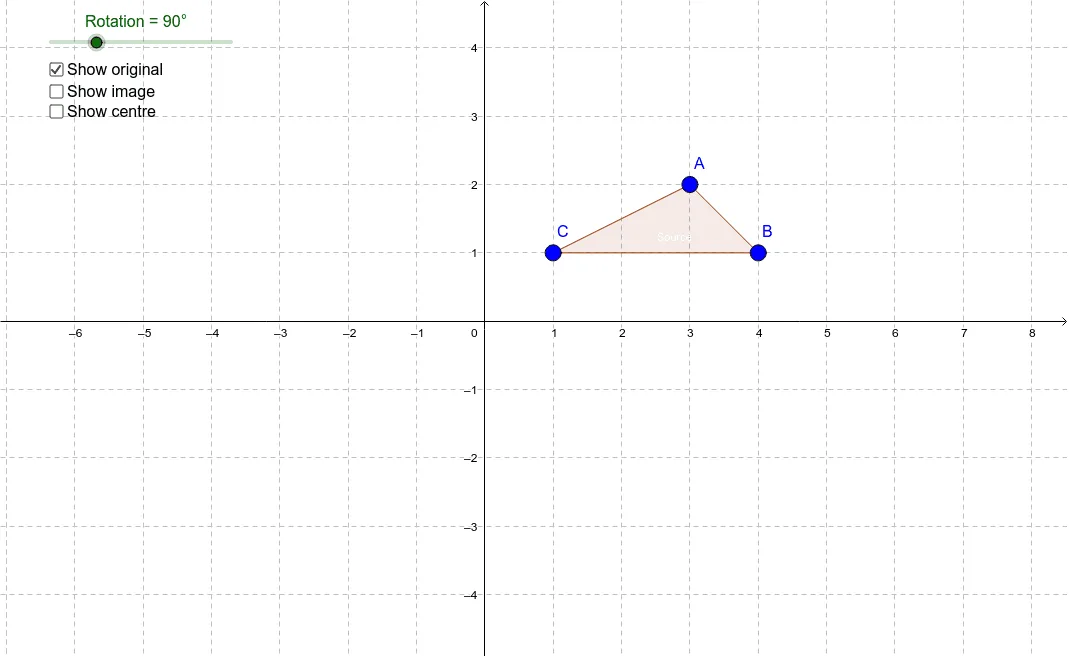
This example demonstrates the rotation transformation of polygons (e.g., isosceles triangles and pyramids) in two-dimensional space. Key math concepts include rotation, vectors, polygons, and circumcircle. Construction involves commands like Polygon and Rotate, using objects such as A, B, C, poly1, c, a, b, P, Rotation, A', B', C', poly1', c', a', b', text1, text2, d, e, f. Suitable for middle school students and above learning geometric transformations and vectors, or for classroom demonstrations.
GeoGebra Commands & Parameters
Polygon(A, B, C) → poly1, c, a, bRotate(A, Rotation, P) → A'Rotate(B, Rotation, P) → B'Rotate(C, Rotation, P) → C'Polygon(A', B', C') → poly1', c', a', b'
AI Drawing Prompt Reference
Create a 2D rotation transformation demo. Start with an isosceles triangle, marking its three vertices. Add a rotation center point and a slider to control the rotation angle. Rotate the original triangle around the center by the slider angle to form a new triangle, labeling its corresponding vertices. Connect original and rotated vertices with dashed lines to show rotation paths. Also draw the circumcircle of the original triangle, and display side lengths and angle labels for both triangles to illustrate that rotation preserves size and shape.
The prompt above was compiled from the original drawing commands and is for reference only.