
Rotation Transformation Demo by kbailey
Loading the math board and drawing, please wait…
In collections
Rotation Exploration
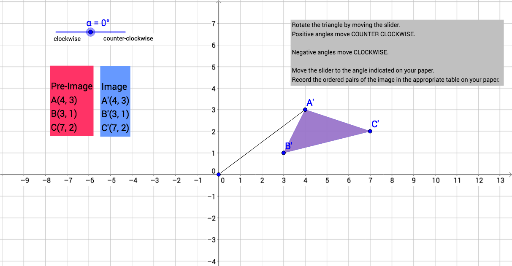
This example demonstrates the rotation transformation of a triangle in a 2D plane. Key math concepts include rotation, angle, coordinate geometry, and vectors. It uses commands like Polygon, Rotate, Segment, and Angle in GeoGebra. Suitable for high school mathematics teaching and geometric transformation learning.
GeoGebra Commands & Parameters
Polygon(A, B, C) → poly1, c, a, bRotate(A, α, D) → A'Rotate(B, α, D) → B'Rotate(C, α, D) → C'Polygon(A', B', C') → poly1', c', a', b'Segment(A, D) → fSegment(D, A') → gAngle(A, D, A') → β
AI Drawing Prompt Reference
Draw a triangle in a 2D plane and show its rotation about a fixed point. First, construct the original triangle. Then, rotate each of its three vertices around the same center by the same angle to form a new triangle. Connect the center to one original vertex and to its rotated image, and mark the angle between these two segments to indicate the rotation angle. Use different colors for the original and rotated triangles, and keep the auxiliary segments and angle label visible for clarity.
The prompt above was compiled from the original drawing commands and is for reference only.