
Rotation Transformation by Jim Wysocki
Loading the math board and drawing, please wait…
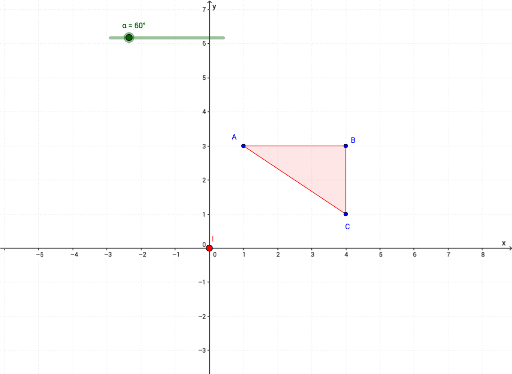
This example demonstrates rotation transformations in a 2D plane. Key mathematical concepts include rotation, vectors, and polygons. Using GeoGebra commands like Rotate, Mirror, and Polygon, the construction of rotated figures is illustrated. Suitable for students at the junior high school level and above to learn about geometric transformations.
GeoGebra Commands & Parameters
Rotate(A, α, I) → A'Rotate(B, α, I) → B'Rotate(C, α, I) → C'Mirror(C, h) → C'_3Mirror(B, h) → B'_3Mirror(A, h) → A'_3Polygon(A, B, C) → poly1, c, a, bAngle(A, B, C) → ABCAngle(B, C, A) → BCAAngle(C, A, B) → CABVector(D, E) → uAngle(B', C', A') → A'C'B'Angle(C', A', B') → B'A'C'Angle(A', B', C') → A'B'C'Segment(D, F) → fSegment(E, F) → gMidpoint(f) → GMidpoint(g) → HPolygon(A'_3, B'_3, C'_3) → poly1'_1, c'_2, a'_2, b'_2Polygon(A', B', C') → poly1'_2, c', a', b'
AI Drawing Prompt Reference
Please draw a figure demonstrating rotation transformations in a 2D plane. First, define three points and form a polygon with them. Then, rotate each of these points around a specific center point by a certain angle to obtain new points and the corresponding rotated polygon. Next, reflect each vertex of the original polygon across a line to get another polygon. Finally, draw all relevant vectors, angles, and midpoint connections.
The prompt above was compiled from the original drawing commands and is for reference only.