
Rotation Practice
Loading the math board and drawing, please wait…
In collections
geometriadinamica.es
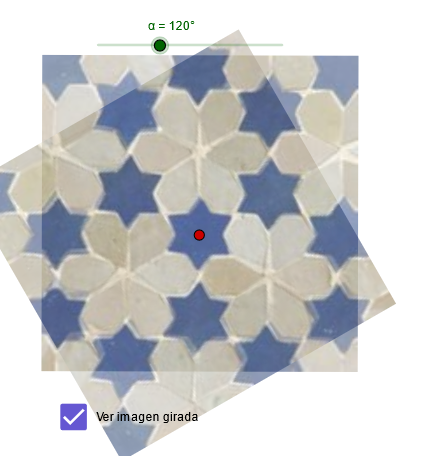
This example demonstrates the rotation transformation of points, line segments, and figures; core math concepts include rotation angle, coordinate transformation, and geometric transformation; construction highlights: uses the Rotate command to rotate points A, B, C and figure imag1, with slider α controlling the rotation angle, generating imag2; suitable for high school students learning geometric transformations and coordinate geometry.
GeoGebra Commands & Parameters
Rotate(imag1, α, C) → imag2
AI Drawing Prompt Reference
Create a geometric rotation demonstration. Start by drawing an initial figure composed of multiple points and line segments on the plane, such as a triangle or polygon. Define a center point for rotation. Then rotate the initial figure around this center point by an angle controlled through a slider, generating a rotated image. The rotation angle should be adjustable from 0 to 360 degrees, allowing observation of how the figure transforms as the angle changes.
The prompt above was compiled from the original drawing commands and is for reference only.