
Rotation of Hexagon
Loading the math board and drawing, please wait…
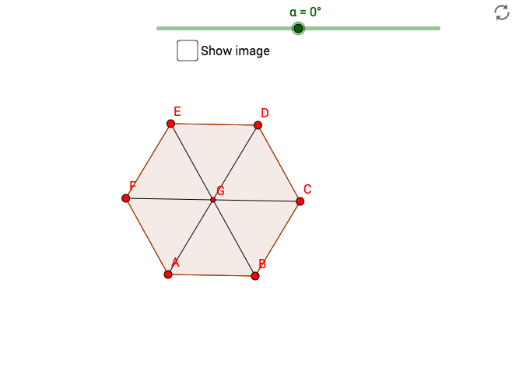
This example demonstrates the rotation of a hexagon. The core mathematical concepts involved are geometric transformations, specifically rotation. Using GeoGebra commands such as Polygon, Segment, Intersect, and Rotate, the rotated hexagon is constructed. Suitable for middle school and above students or teachers for teaching geometric construction and transformations.
GeoGebra Commands & Parameters
Polygon(A, B, 6) → poly1, f, F, g, h, i, j, k, C, D, ESegment(E, B) → lSegment(A, D) → mIntersect(l, m) → GRotate(poly1, α, G) → poly1'Rotate(A, α, G) → A'Rotate(B, α, G) → B'Rotate(C, α, G) → C'Rotate(D, α, G) → D'Rotate(E, α, G) → E'Rotate(F, α, G) → F'Segment(A, D) → nSegment(B, E) → pSegment(F, C) → qRotate(A, α, G) → A'_1Rotate(D, α, G) → D'_1Segment(A'_1, D'_1) → n'Rotate(B, α, G) → B'_1Rotate(E, α, G) → E'_1Segment(B'_1, E'_1) → p'Rotate(F, α, G) → F'_1Rotate(C, α, G) → C'_1Segment(F'_1, C'_1) → q'
AI Drawing Prompt Reference
Draw a regular hexagon and rotate it around a point inside the hexagon by a certain angle to display the rotated shape, then connect the corresponding vertices of the original and rotated hexagons with line segments.
The prompt above was compiled from the original drawing commands and is for reference only.