
Rotation of a Triangle Around a Side
Loading the math board and drawing, please wait…
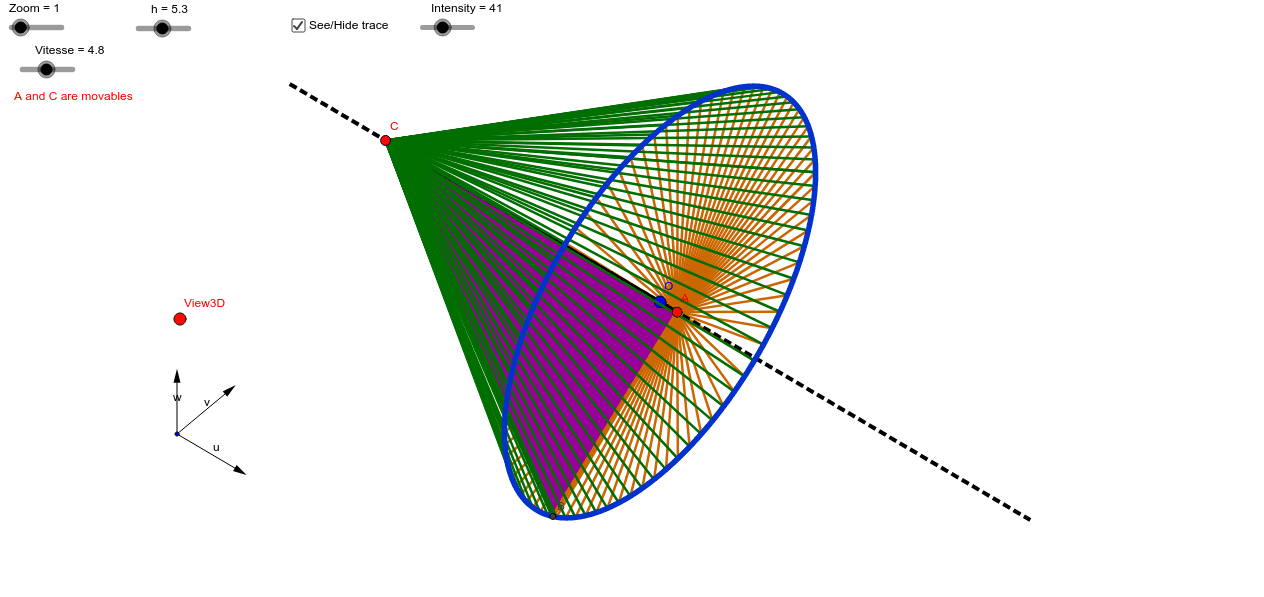
This example demonstrates the solid shape formed by rotating a triangle around one of its sides. Key mathematical concepts include rotation and solid geometry. It utilizes commands such as vector, mirror, and translate in GeoGebra. Suitable for high school geometry and solid geometry studies.
GeoGebra Commands & Parameters
Vector(B_1, Y) → vVector(B_1, Z) → wVector(B_1, X) → uOrthogonalLine(View3D, yAxis) → aOrthogonalLine(View3D, xAxis) → bSequence((x(O), y(O)) - h / 2.0 * (sin(0.0) * sin(i) * w + cos(0.0) * sin(i) * w - d * cos(i) * v), i, 0.0, 6.283185307179586, 3.141592653589793 / Intensity) → liste1Translate(O, Vector[h / 2.0 * u]) → O'_1Mirror(O'_1, O) → O''Mirror(O, O'_1) → O'_2Mirror(O, O'') → O'Segment(O', O'_2) → iCurveCartesian(x(O - h / 2.0 * (0.0 * sin(i°) * w + sin(i°) * w - d * cos(i°) * v)), y(O - h / 2.0 * (0.0 * sin(i°) * w + sin(i°) * w - d * cos(i°) * v)), i, 0.0, 360.0) → ePoint(i) → APoint(i) → CPolygon(B, A, C) → poly1, c_1, b_1, a_1Sequence(Segment[Element[liste1, i], A], i, 1.0, Length[liste1]) → liste2Sequence(Segment[Element[liste1, i], C], i, 1.0, Length[liste1]) → liste3
AI Drawing Prompt Reference
Draw a triangle ABC with AB as the base. Rotate the triangle around AB to form a solid shape. First, draw triangle ABC, then rotate it around the AB axis to create the solid.
The prompt above was compiled from the original drawing commands and is for reference only.