
Rotation about a Point with Angle Slider
Loading the math board and drawing, please wait…
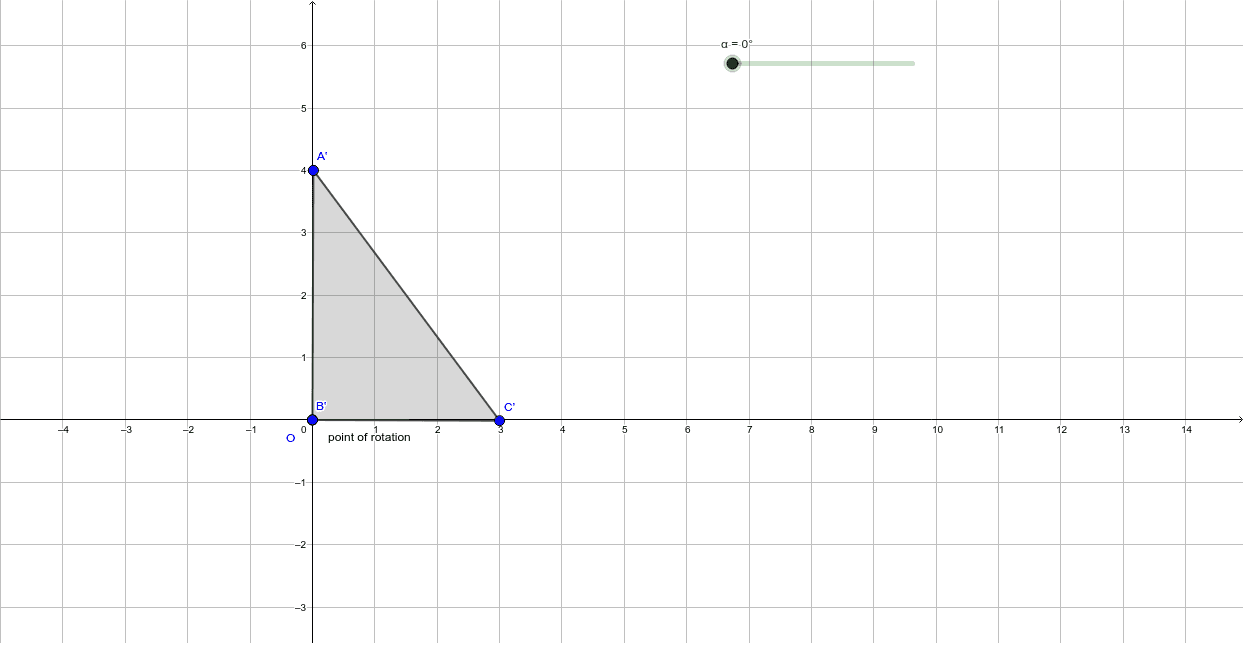
This GeoGebra example demonstrates the rotation of a polygon around a point O, controlled by an angle slider, illustrating the relationship between coordinate points for multiples of 90 degrees. Core mathematical concepts involved include rotation transformation, coordinate geometry, angle measurement, vectors, and concentric circles. The construction utilizes GeoGebra commands such as Vector, Circle, Point, Polygon, and Rotate, with objects like angle α, points O, B, A, C, polygon poly1, circles c, b, a, and their rotated counterparts. It is suitable for high school geometry or coordinate geometry education, providing a visual aid for understanding rotational properties.
GeoGebra Commands & Parameters
Vector(O, B) → uCircle(O, B) → ePoint(Circle[B, 4]) → APolygon(B, A, C) → poly1, c, b, aRotate(B, α, O) → B'Rotate(A, α, O) → A'Rotate(C, α, O) → C'Polygon(B', A', C') → poly1', c', b', a'
AI Drawing Prompt Reference
Please draw a polygon that rotates around point O, with the rotation angle controlled by a slider. First, create a circle centered at O and select several points on the circle as vertices of the polygon. Then, use the slider to set the rotation angle and rotate these vertices around point O accordingly. Finally, draw both the original and rotated polygons to illustrate their relationship.
The prompt above was compiled from the original drawing commands and is for reference only.