
Rotating and Reflecting Polygons
Loading the math board and drawing, please wait…
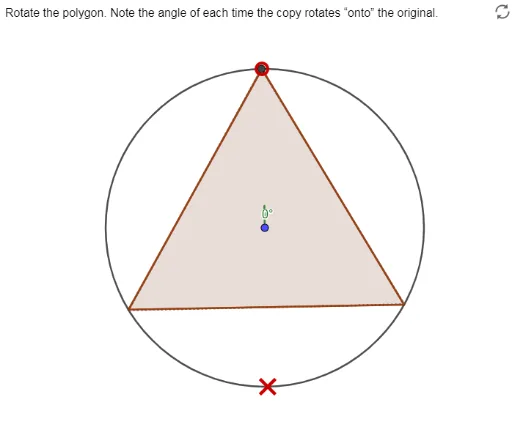
This example demonstrates the rotational symmetry of polygons. It involves core mathematical concepts such as rotational symmetry, geometric transformations, and polygon construction. The construction uses GeoGebra commands and objects like Circle, Point, Intersect, Polygon, and Angle. It is suitable for middle school and above, ideal for teaching geometric transformations and demonstrating symmetry properties.
GeoGebra Commands & Parameters
Circle(A, B) → cPoint(c) → CCircle(C, Segment[A, B]) → dPoint(c) → DCircle(D, Segment[A, B]) → eIntersect(c, e, 2) → EIntersect(c, e, 1) → FPolygon(E, F, 3) → poly1, f, g, h, GIntersect(c, d, 2) → HIntersect(c, d, 1) → IPolygon(H, I, 3) → poly2, i, j, k, JAngle(J, A, G) → α
AI Drawing Prompt Reference
Start with two fixed points and draw a circle centered at one passing through the other. Pick a point on this circle, then draw another circle centered at that point with radius equal to the distance between the fixed points. This new circle intersects the first at two points. Use these two intersection points and another point on the first circle to form an equilateral triangle. Repeat the process with a different point on the first circle to create a second equilateral triangle. Finally, measure the angle between the vertices of the two triangles and the fixed point to illustrate rotational symmetry.
The prompt above was compiled from the original drawing commands and is for reference only.