
Rotating and Dilating Hexagons
Loading the math board and drawing, please wait…
In collections
Symmetry, Transformation and Tessellation
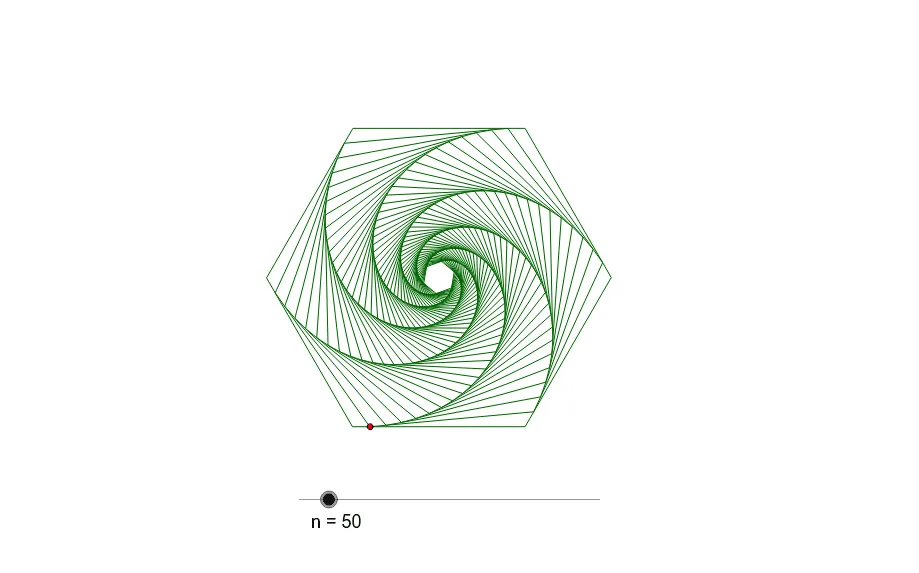
This example demonstrates the rotation and dilation transformations of a hexagon in a plane. It involves core mathematical concepts such as transformations (rotation, dilation), similarity, coordinate geometry, and geometric construction. Key GeoGebra commands used include Polygon, Point, Midpoint, Angle, Dilate, and Sequence. It is suitable for high school students and teachers exploring geometric transformations, similarity, and using GeoGebra for interactive learning.
GeoGebra Commands & Parameters
Polygon(A, B, 6) → poly1, a, F, b, c, d, e, f, C, D, EPoint(a) → PMidpoint(A, D) → OAngle(A, O, P) → αDilate(Rotate[poly1, α, O], t, O) → poly2Sequence(Dilate[Rotate[poly1, (k * α), O], t^(k), O], k, 0, n) → list1
AI Drawing Prompt Reference
Draw a hexagon and then rotate and dilate it to demonstrate rotation and scaling transformations. Start by creating a regular hexagon, then find the midpoint of one of its sides and calculate the angle from the center to this midpoint. Rotate the hexagon by this angle and scale it by a certain factor to obtain a second hexagon. Finally, repeat the rotation and scaling multiple times to generate a sequence of progressively transformed hexagons, showing the effect of the transformations.
The prompt above was compiled from the original drawing commands and is for reference only.