
Rotating a Circle to Form a Sphere: 3D Geometry in GeoGebra
Loading the math board and drawing, please wait…
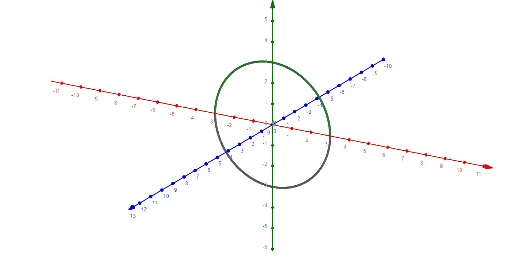
① This example demonstrates how rotating a circle around an axis generates a three-dimensional sphere, visualizing the transition from a 2D shape to a 3D solid. ② Core mathematical concepts include rotation of a circle, sphere formation, parametric surface equations in 3D space, and the relationship between volume and surface area of a solid of revolution. ③ Construction highlights: Using GeoGebra's Surface command with objects f (circle), n (rotation axis), a (angle parameter), and g (auxiliary solid), the sphere is built via a parametric surface, possibly incorporating line segments, rectangles, or other helpers to clarify the process. ④ Suitable for high school or early college students learning solid geometry, spatial reasoning, and parametric surfaces, as well as for teachers demonstrating the generation of solids of revolution in class.
GeoGebra Commands & Parameters
Surface(f, n, xAxis) → a
AI Drawing Prompt Reference
Draw a circle and rotate it around an axis to form a sphere. First, create a circle, then select the circle and the axis for rotation. Use the rotation to generate the sphere, and display the rotation process with a parametric surface. Add helper line segments or rectangles to aid understanding.
The prompt above was compiled from the original drawing commands and is for reference only.