
Rigid Transformations in the Plane: A Geometry Construction Practice
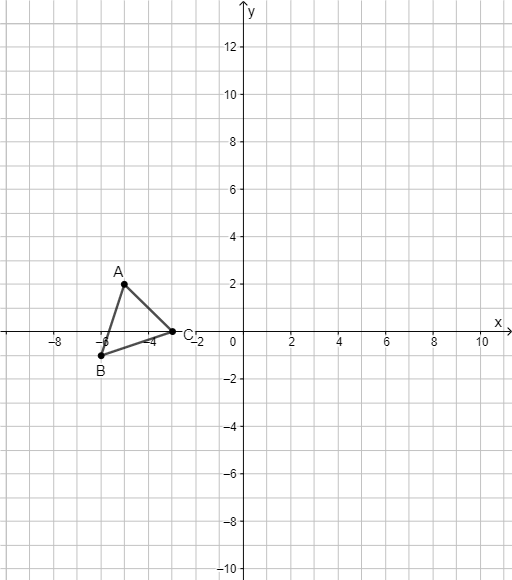
Loading the math board and drawing, please wait…
This example demonstrates how rigid transformations in the plane preserve key properties of shapes—typically the distances and angles—by constructing and moving geometric configurations (e.g., a triangle) under controlled rotations/reflections. It centers on the core ideas of planar rigid motions, correspondence between original and transformed points, and invariance (side lengths and angle measures) during transformations. Construction-wise, the setup uses GeoGebra primitives such as Point and Polygon to create point objects A, B, C and control/parameter elements t1, c, a, b, then forms the polygonal figure whose transformed version is visualized through these controls. Suitable for middle and high school geometry lessons, enrichment activities, and self-study focused on transformation geometry and geometric construction.
GeoGebra Commands & Parameters
Point(xAxis) → APolygon(A, B, C) → t1, c, a, b
AI Drawing Prompt Reference
Create a geometry construction diagram in the plane by first placing three points and connecting them to form a triangle (a polygon made from the three vertices). Arrange the figure so it supports the idea of rigid transformations: keep the triangle’s key geometric relations in mind and include controllable parameters/controls (such as one parameter and several control values) that let you view the triangle in a controlled transformed position, highlighting the correspondence between original and moved vertices and the invariance of distances and angles.
The prompt above was compiled from the original drawing commands and is for reference only.