
Right Cylinder by pheebz (2)
Loading the math board and drawing, please wait…
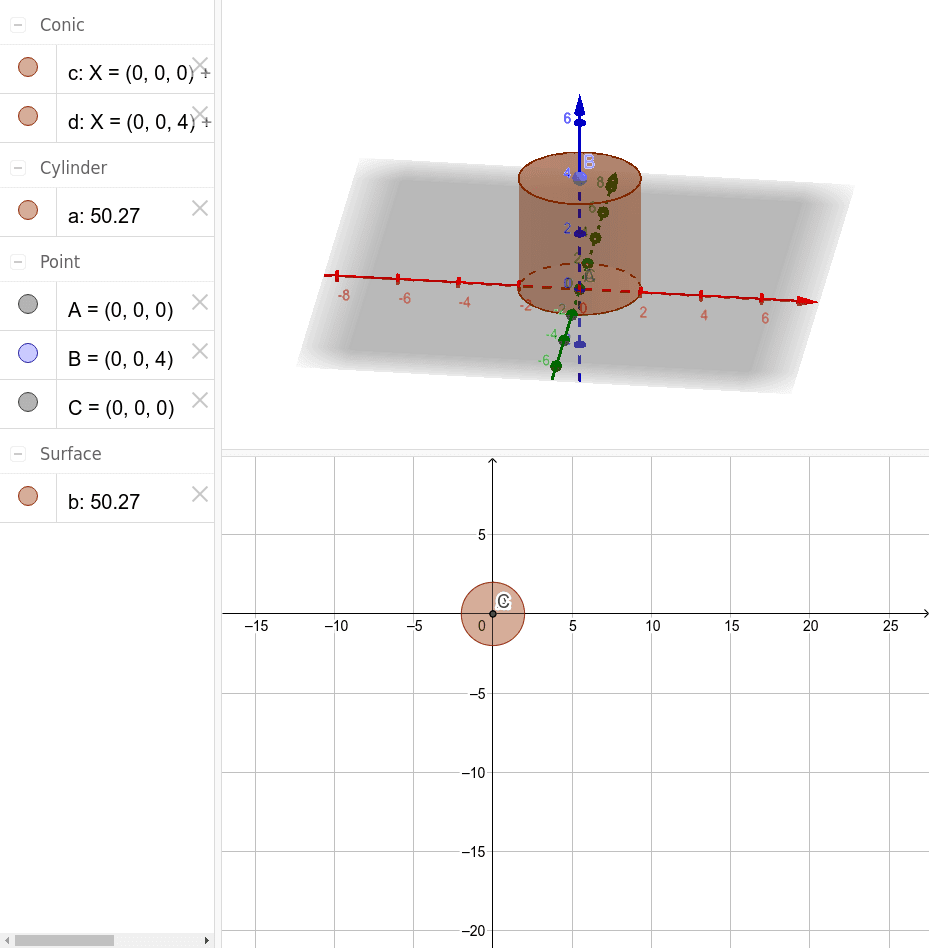
This example demonstrates the properties of a right cylinder in three-dimensional space. Key math concepts include solid geometry, vectors, angles, and 3D coordinate geometry. It is constructed using GeoGebra commands like Intersect, Point, and Cylinder, with objects A, B, C, a, c, d, b. Suitable for high school and above students to learn and understand the composition and properties of 3D geometric figures, as well as for teaching demonstrations.
GeoGebra Commands & Parameters
Intersect(xAxis, zAxis) → APoint(zAxis) → BIntersect(yAxis, xAxis) → CCylinder(C, B, 2) → a, c, d, b
AI Drawing Prompt Reference
Draw a right circular cylinder in 3D space. Start by marking the origin where the x-axis and z-axis intersect as the center of the bottom base. Then place a point on the vertical (z) axis to serve as the center of the top base. Construct a cylinder with radius 2, extending from the bottom center to the top center, so its axis aligns with the vertical axis. The cylinder should have two circular bases and a curved side, standing upright, clearly showing its height and radius.
The prompt above was compiled from the original drawing commands and is for reference only.