
Rhombus Exploration by HGrega
Loading the math board and drawing, please wait…
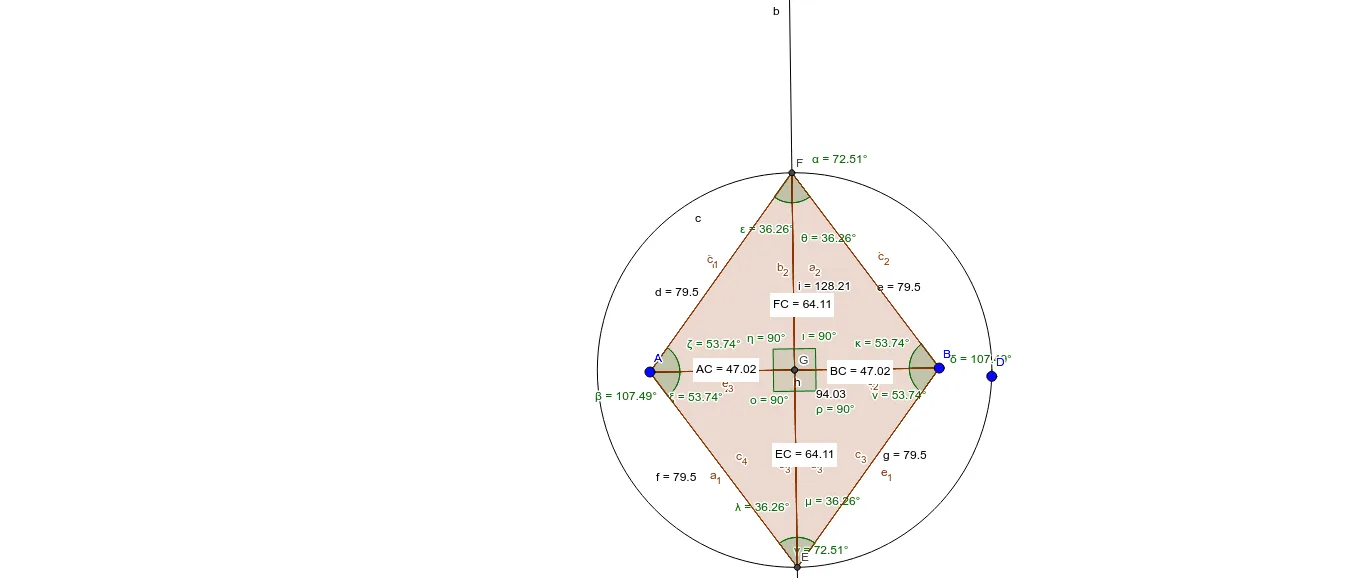
This example demonstrates the geometric properties of a rhombus and the construction of related shapes. It involves core mathematical concepts such as polygons, angles, distances, and geometric constructions. GeoGebra commands like segment, line bisector, intersect, circle, polygon, angle, and distance are used to create the rhombus and associated figures. Suitable for middle school and above students learning plane geometry, geometric constructions, and properties of shapes.
GeoGebra Commands & Parameters
Segment(A, B) → aLineBisector(a) → bIntersect(b, a) → CCircle(C, D) → cIntersect(c, b, 1) → EIntersect(c, b, 2) → FSegment(A, F) → dSegment(F, B) → eSegment(A, E) → fSegment(E, B) → gPolygon(F, A, E, B) → poly1, f_1, a_1, e_1, b_1Angle(poly1) → α, β, γ, δSegment(A, B) → hSegment(E, F) → iIntersect(b, a) → GDistance(A, C) → distanceACDistance(F, C) → distanceFCDistance(B, C) → distanceBCDistance(E, C) → distanceECPolygon(F, A, C) → poly2, c_1, f_2, a_2Polygon(F, C, B) → poly3, b_2, f_3, c_2Polygon(C, B, E) → poly4, e_2, c_3, b_3Polygon(C, E, A) → poly5, a_3, c_4, e_3Angle(poly2) → ε, ζ, ηAngle(poly3) → θ, ι, κAngle(A, E, C) → λAngle(B, E, C) → μAngle(C, B, E) → νAngle(C, A, E) → ξAngle(A, C, E) → οAngle(B, C, E) → ρ