
Rhombus Construction by epark1
Loading the math board and drawing, please wait…
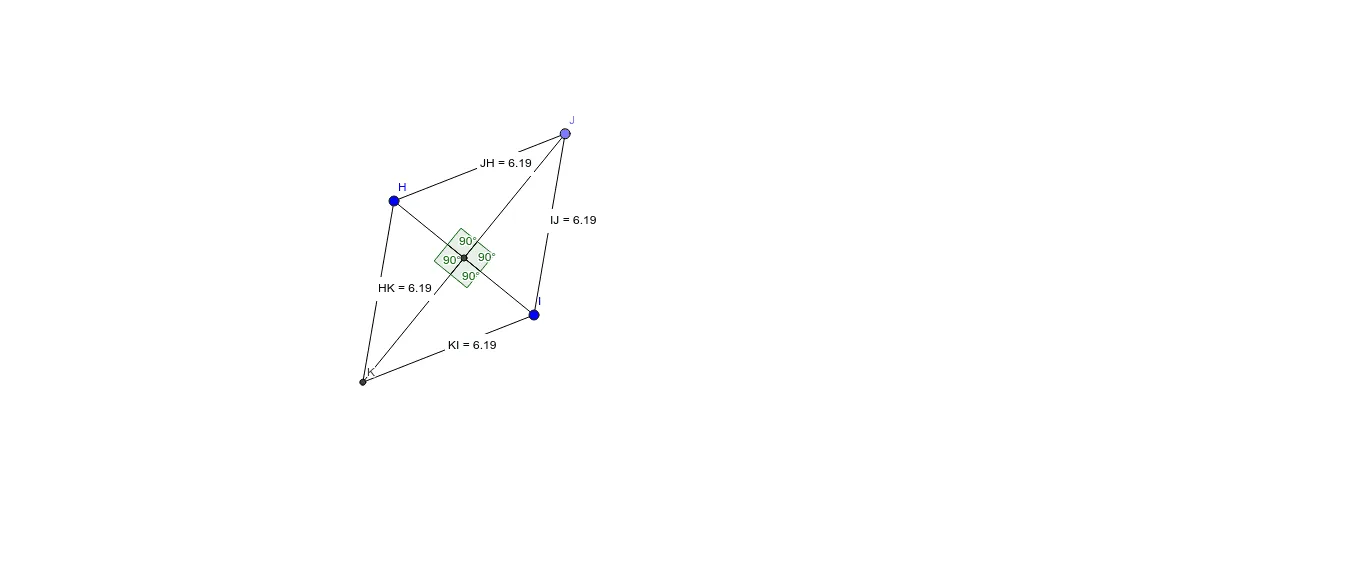
This example demonstrates the construction of a rhombus, a special type of parallelogram with all sides of equal length. Using GeoGebra commands such as Segment (line segment), LineBisector (angle bisector), Point (point), Circle (circle), Intersect (intersection), Distance (distance), and Angle (angle), the rhombus is precisely constructed. Suitable for middle and high school students to learn geometric construction and properties of rhombuses.
GeoGebra Commands & Parameters
Segment(H, I) → jLineBisector(H, I) → kPoint(k) → JCircle(H, J) → pIntersect(p, k, 2) → KSegment(H, K) → lSegment(K, I) → mSegment(I, J) → nSegment(J, H) → qDistance(H, K) → distanceHKDistance(K, I) → distanceKIDistance(I, J) → distanceIJDistance(J, H) → distanceJHSegment(H, I) → rSegment(K, J) → sIntersect(r, s) → LAngle(J, L, H) → ζAngle(H, L, K) → ηAngle(K, L, I) → θAngle(I, L, J) → α
AI Drawing Prompt Reference
Draw a rhombus by starting with a line segment, finding its perpendicular bisector, marking the midpoint, and using it as a center to draw a circle. The circle intersects the bisector at another point. Connect the four points to form the rhombus and measure the lengths of all sides and the sizes of the interior angles.
The prompt above was compiled from the original drawing commands and is for reference only.