
Rhombus Construction by Debra Schneider
Loading the math board and drawing, please wait…
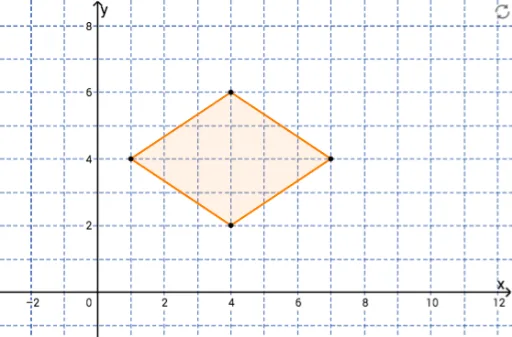
This example demonstrates how to construct a rhombus using points, lines, circles, and intersection points. Key math concepts include polygon construction, circle properties, intersection calculations, and coordinate geometry. Construction highlights involve commands/objects like Segment, Circle, Point, Line, Intersect, Polygon in GeoGebra. Suitable for high school mathematics teaching or geometric construction practice.
GeoGebra Commands & Parameters
Segment(A, B) → fCircle(A, B) → cCircle(B, A) → dPoint(c) → CSegment(A, C) → gLine(C, f) → hLine(B, g) → iIntersect(h, i) → DPolygon(B, A, C, D) → poly1, b, a, c_1, d_1
AI Drawing Prompt Reference
Draw a rhombus by starting with a line segment, then creating two equal circles centered at the endpoints of the segment. Find the intersection points of the circles, connect one intersection point to one endpoint of the segment, and draw lines through the intersection point and the other endpoint. Locate the intersection of these two lines, and finally form the rhombus using all four points.
The prompt above was compiled from the original drawing commands and is for reference only.