
Rhombus Construction 1
Loading the math board and drawing, please wait…
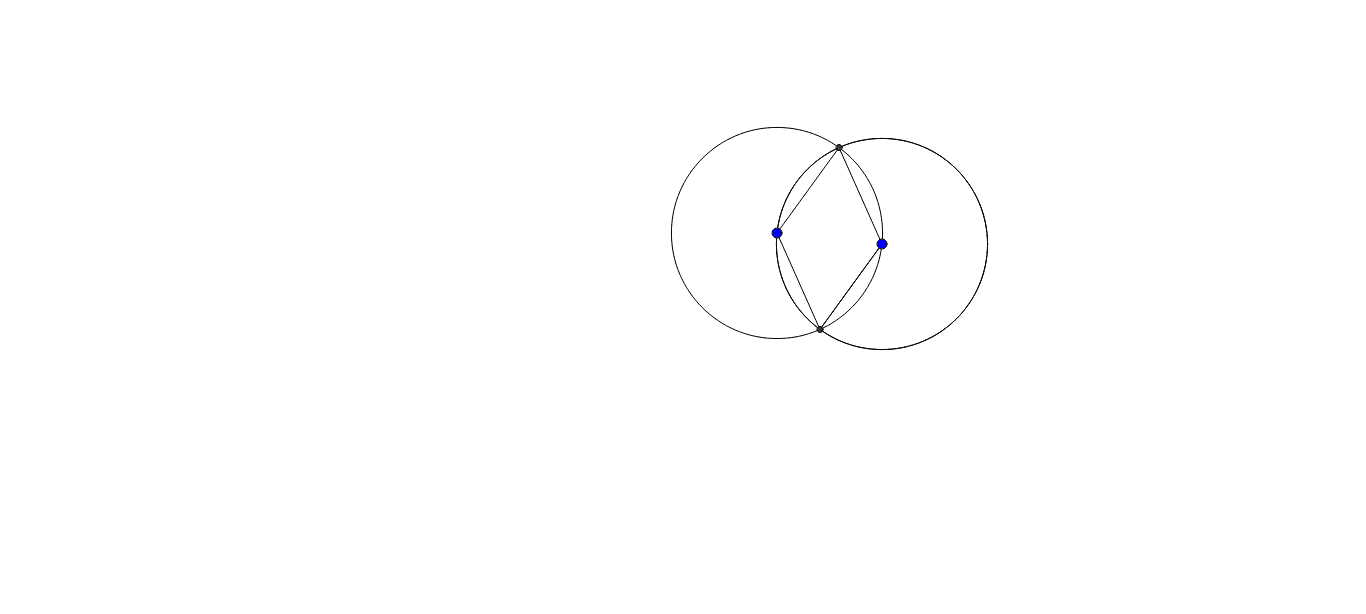
This example demonstrates the construction of a rhombus. It involves the basic properties and symmetry of a rhombus. Using GeoGebra commands such as Circle, Intersect, and Segment, a rhombus can be constructed. Suitable for middle school and above students to learn geometric construction and symmetry concepts.
GeoGebra Commands & Parameters
Circle(E, F) → fCircle(F, E) → hIntersect(f, h, 2) → HCircle(F, H) → pSegment(E, H) → iSegment(F, H) → jIntersect(f, h, 1) → ISegment(H, F) → kSegment(F, I) → lSegment(I, E) → m
AI Drawing Prompt Reference
Draw two equal circles centered at points E and F, each passing through the other's center. They intersect at two points; label the upper one H and the lower one I. Then draw a third circle centered at F with radius FH, which intersects the first circle again at H and another point. Connect points E, H, F, and I to form a quadrilateral. This quadrilateral is a rhombus because all its sides equal the circle radiuscars, and its diagonals are perpendicular bisectors. The figure should show the two equal circles, one auxiliary circle, two intersecting chords, and the rhombus outline formed by the four intersection points.
The prompt above was compiled from the original drawing commands and is for reference only.