
Regular Polygon with Strings: Advanced Version
Loading the math board and drawing, please wait…
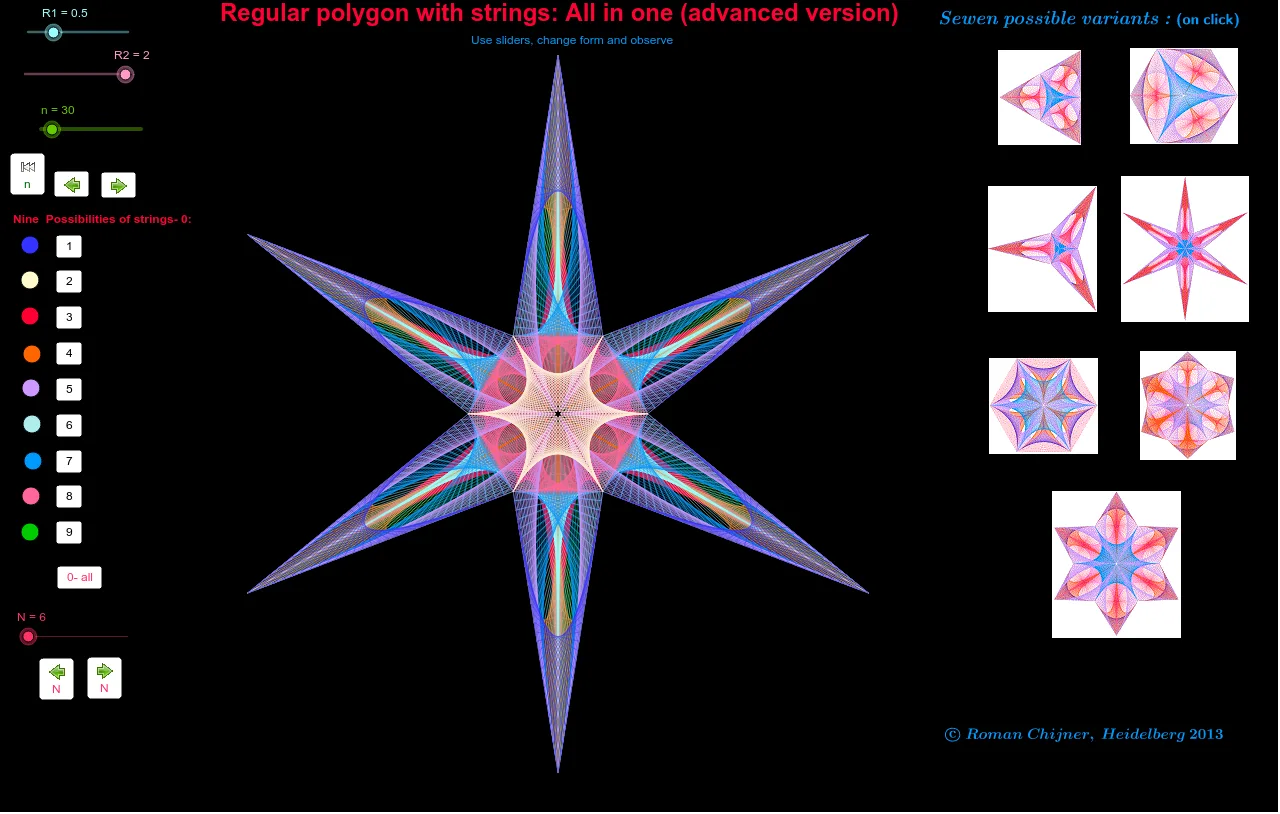
This example demonstrates a regular polygon with strings in an advanced version. Adjust the number of sides using sliders and observe the changes. It involves the construction of polygons using GeoGebra commands such as sequence and mirror. Suitable for high school and above students or teachers, it helps in understanding the properties of polygons and geometric transformations.
GeoGebra Commands & Parameters
Sequence((R1; 2 * π / N * i), i, 1, N) → l1aAppend(l1a, Element[l1a, 1]) → p0aSequence(Element[p0a, 1] + (Element[p0a, 2] - Element[p0a, 1]) * (1 - i / n), i, 0, n) → p6Sequence((R2; π / N * (2 * i + 1)), i, 1, N) → p0bSequence(Element[p0a, 2] + (Element[p0b, 1] - Element[p0a, 2]) * (1 - i / n), i, 0, n) → p2Sequence(Element[p0a, 2] * (1 - i / n), i, 0, n) → p5Sequence(Element[p0b, 1] * (1 - i / n), i, 0, n) → p3Sequence(Element[p0a, 1] * (1 - i / n), i, 0, n) → p4Sequence(Element[p0a, 1] + (Element[p0b, 1] - Element[p0a, 1]) * (1 - i / n), i, 0, n) → p1Circle(A, R1) → cCircle(A, R2) → dSequence(Segment[Element[l1a, i], Element[p0b, i]], i, 1, N) → l2aSequence(Segment[Element[p1, i], Element[p2, n12 - i + 1]], i, 1, n12) → s0_{12}Sequence(Segment[Element[p0a, i + 1], Element[p0b, i]], i, 1, N) → l2bSequence(Segment[Element[p4, i], Element[p3, n34 - i + 1]], i, 1, n34) → s0_{34}Sequence(Rotate[s0_{12}, 2 * π / N * i], i, 1, N) → ss_{12}Mirror(s0_{34}, Line[A, Element[p0a, 1]]) → s0'_{34}Sequence(Segment[Element[p2, i], Element[p3, n23 - i + 1]], i, 1, n23) → s0_{23}Mirror(s0_{23}, Line[A, Element[p0b, 1]]) → s0'_{23}Sequence(Segment[Element[p4, i], Element[p5, n45 - i + 1]], i, 1, n45) → s0_{45}Mirror(s0_{45}, Line[A, Element[p0b, 1]]) → s0'_{45}Sequence(Rotate[ss0_{13}, 2 * π / N * i], i, 1, N) → ss_{45}Sequence(Rotate[ss0_{34}, 2 * π / N * i], i, 1, N) → ss_{34}Sequence(Rotate[ss0_{23}, 2 * π / N * i], i, 1, N) → ss_{23}Sequence(Segment[Element[p4, i], Element[p1, i]], i, 1, n14) → s0_{14}Mirror(s0_{14}, Line[A, Element[p0b, 1]]) → s0'_{14}Sequence(Rotate[ss0_{14}, 2 * π / N * i], i, 1, N) → ss_{14}Sequence(Segment[Element[p1, i], Element[p5, n15 - i + 1]], i, 1, n15) → s0_{15}Mirror(s0_{15}, Line[A, Element[p0b, 1]]) → s0'_{15}Sequence(Rotate[ss0_{15}, 2 * π / N * i], i, 1, N) → ss_{15}Sequence(Segment[Element[p2, i], Element[p6, i]], i, 1, n26) → s0_{26}Mirror(s0_{26}, Line[A, Element[p0b, 1]]) → s0'_{26}Sequence(Rotate[ss0_{26}, 2 * π / N * i], i, 1, N) → ss_{26}Sequence(Segment[Element[p2, i], Element[p5, i]], i, 1, n56) → s0_{25}Sequence(Segment[Element[p5, i], Element[p6, n56 + 1 - i]], i, 1, n56) → s0_{56}Mirror(s0_{56}, Line[A, Element[p0b, 1]]) → s0'_{56}Sequence(Rotate[ss0_{56}, 2 * π / N * i], i, 1, N) → ss_{56}Sequence(Segment[Element[p3, i], Element[p6, i]], i, 1, n36) → s0_{36}Sequence(Rotate[s0_{36}, 2 * π / N * i], i, 1, N) → ss_{36}
AI Drawing Prompt Reference
Draw a regular polygon and construct a series of strings inside it. First, adjust the number of sides using a slider, then draw two concentric circles. Use sequence commands to generate the polygon's vertices and construct strings using these vertices. Finally, apply rotation and reflection operations to create complex geometric shapes within the polygon.
The prompt above was compiled from the original drawing commands and is for reference only.