
Region Rotated about an Axis
Loading the math board and drawing, please wait…
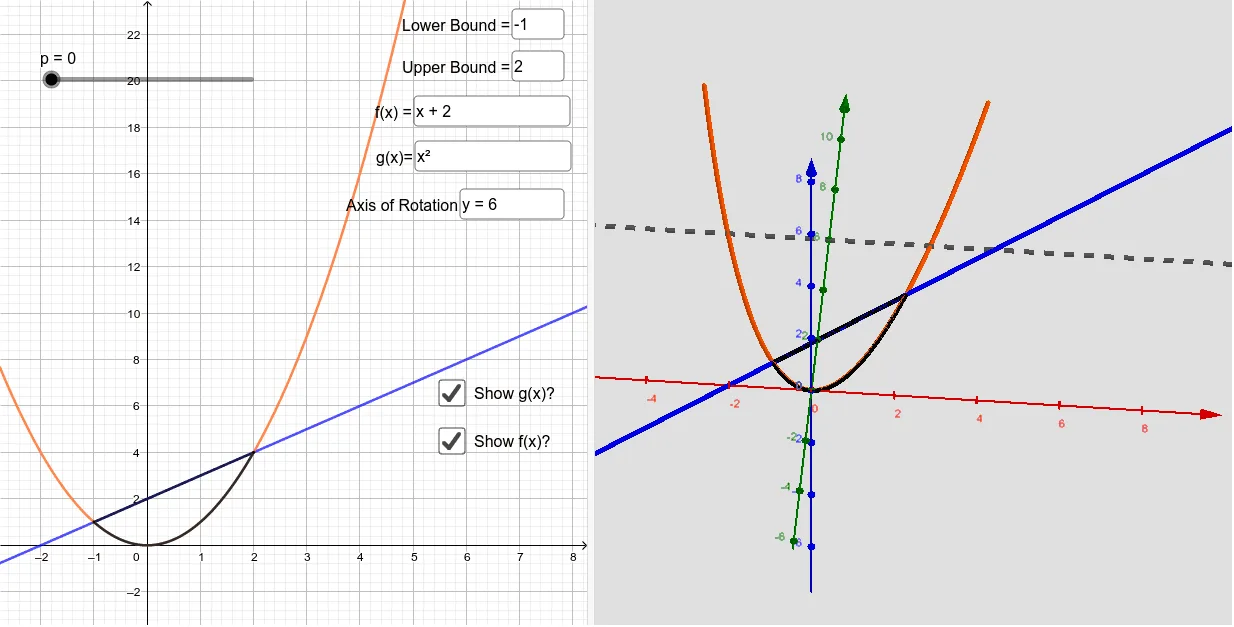
This example demonstrates how to rotate a region around an axis to form a solid shape. Key mathematical concepts include rotation, volume calculation, and linear equations. Using GeoGebra commands such as CurveCartesian, Surface, and Segment, the rotated solid shape can be constructed. Suitable for high school mathematics education and learning.
GeoGebra Commands & Parameters
Textfield(a) → InputBox1Textfield(b) → InputBox2Textfield(f) → InputBox3CurveCartesian(t, f(t), t, a, b) → hTextfield(g) → InputBox4Surface(h, p, r) → iCurveCartesian(t, g(t), t, a, b) → cSurface(c, p, r) → dTextfield(r) → InputBox5Segment((a, f(a)), (a, g(a))) → kSegment((b, f(b)), (b, g(b))) → lSurface(k, p, r) → mSurface(l, p, r) → n
AI Drawing Prompt Reference
Choose two functions defined by user inputs, f(t) and g(t), and consider t varying from a to b. Draw the curves y=f(t) and y=g(t) over that interval. Connect the endpoints at t=a and t=b to form two boundary line segments. Then rotate the region between the two curves around an axis determined by the rotation parameter r to form a solid. The outer curved surfaces come from rotating the surface corresponding to f(t) and the surface corresponding to g(t), while the remaining parts are formed by rotating the two boundary segments to create side surfaces.
The prompt above was compiled from the original drawing commands and is for reference only.