
Rectangular Prism
Loading the math board and drawing, please wait…
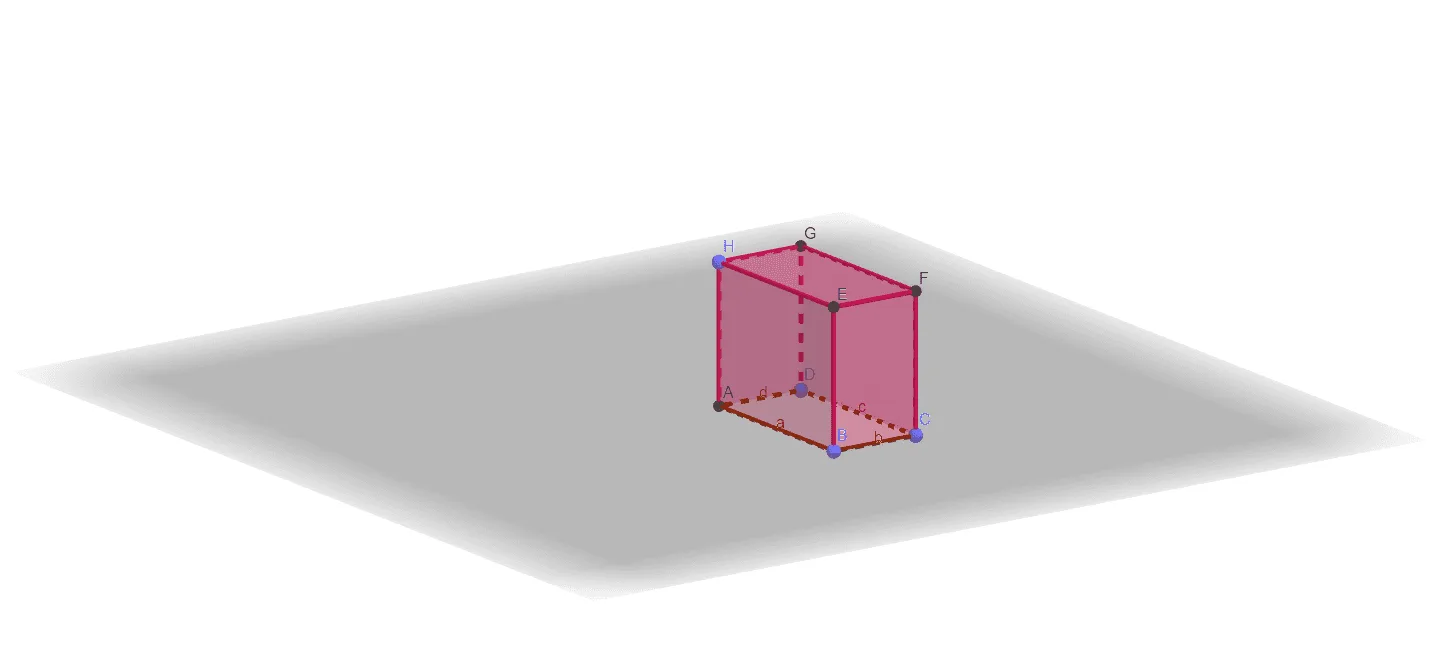
This example demonstrates the construction of a rectangular prism. Key mathematical concepts include the definition and properties of a rectangular prism in solid geometry. Using GeoGebra commands such as Intersect, Point, and Polygon, the example allows for dynamic construction of the prism's faces and edges. Suitable for middle school and above students or teachers for teaching and learning solid geometry.
GeoGebra Commands & Parameters
Intersect(xAxis, yAxis) → APoint(xAxis) → BPoint(yAxis) → DPolygon(A, B, C, D) → q1, a, b, c, dPoint(zAxis) → HPrism(q1, H) → e, E, edgeBE, edgeCF, edgeDG, edgeEH, edgeEF, edgeFG, edgeGH, F, G, faceABEH, faceBCFE, faceCDGF, faceADGH, faceEFGH, edgeAH
AI Drawing Prompt Reference
Draw a rectangular prism in 3D space. Start by placing three points on the coordinate axes: one at the origin, one on the x-axis, and one on the y-axis. Use these points to form a rectangle on the horizontal plane as the base. Then pick a point on the z-axis to define the height, and connect this point vertically to the four corners of the base to create the vertical edges. Finally, connect the top endpoints to form the top rectangle, and label all vertices, edges, and faces for clarity.
The prompt above was compiled from the original drawing commands and is for reference only.