
Rectangles in a Rectangle: Nested Rectangle Construction and Geometric Explorati
Loading the math board and drawing, please wait…
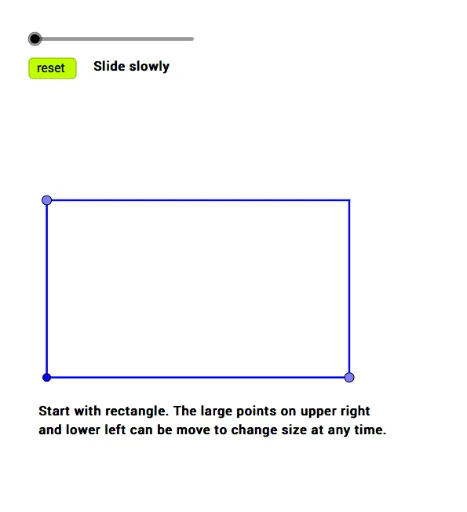
This example demonstrates how to construct multiple nested smaller rectangles inside a larger rectangle using perpendicular lines and intersection points, creating a hierarchical 'rectangles within a rectangle' structure. The core mathematical concepts include properties of rectangles, perpendicularity, intersection coordinates, and how dynamic slider adjustments affect the sizes and positions of the nested rectangles, involving coordinate geometry, translation transformations, and arithmetic operations. The construction uses GeoGebra commands such as Point, OrthogonalLine, Intersect, and Segment to create base points, perpendicular lines, intersections, and segments, then defines rectangle boundaries with objects like Rectangle, TopPoint, Vertical, RightPoint, Horizontal, and Concurrent, enhanced by a Slider and Reset button for interactive exploration. This is suitable for middle and high school students learning geometric construction, coordinate positioning, and dynamic geometry, and can also illustrate applications of LCM/GCD and logarithmic functions in parameter design.
GeoGebra Commands & Parameters
Point(f) → COrthogonalLine(C, f) → iPoint(g) → BOrthogonalLine(B, g) → hIntersect(h, i) → DSegment(D, B) → lPoint(l) → ESegment(A, C) → jOrthogonalLine(E, l) → n_1Intersect(n_1, j) → FSegment(C, D) → kSegment(B, A) → mPoint(k) → GOrthogonalLine(G, k) → qIntersect(q, m) → HSegment(E, E + (t2 * (F - E))) → pIntersect(q, p) → ISegment(E, E + (t5 * (C - E))) → tSegment(G, G + (t4 * (H - G))) → rSegment(B, B + (t5 * (G - B))) → sIntersect(t, s) → JSegment(A, A + ((1.2 * t5) * (J - A))) → a
AI Drawing Prompt Reference
Construct multiple nested smaller rectangles inside a larger rectangle using perpendicular lines and intersection points to create a hierarchical 'rectangles within a rectangle' structure. Start by defining the four corners of the large rectangle, then use perpendicular lines and intersection points to establish the vertices of the inner rectangles, drawing them sequentially. Adjust the sizes and positions of the nested rectangles dynamically with a slider to demonstrate the effects of coordinate geometry, translation transformations, and arithmetic operations.
The prompt above was compiled from the original drawing commands and is for reference only.