
Rectangle with Fixed Perimeter and Maximum Area
Loading the math board and drawing, please wait…
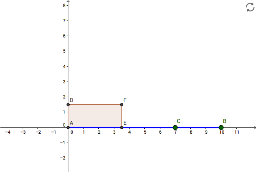
This GeoGebra example dynamically explores how the area of a rectangle changes as its side lengths vary while the perimeter remains fixed, visually demonstrating that the maximum area occurs when the rectangle becomes a square. The core mathematical concepts involve the relationship between perimeter and area, quadratic function optimization, and geometric constraints. Construction highlights: using GeoGebra commands such as Intersect, Point, Segment, LineBisector, Circle, OrthogonalLine, Polygon, Locus, and Distance to build the rectangle, auxiliary lines, and trace the area as a locus curve. The example is suitable for upper middle school or high school students to understand the geometric meaning of quadratic function extrema, and can also serve as an intuitive introduction to optimization ideas in calculus. It encourages learners to observe patterns dynamically and verify algebraic derivations through visual manipulation.
GeoGebra Commands & Parameters
Intersect(xAxis, yAxis) → APoint(xAxis) → BSegment(A, B) → aPoint(a) → CLineBisector(A, C) → bCircle(A, Distance[B, C] / 2) → cIntersect(c, yAxis, 2) → DOrthogonalLine(D, yAxis) → dIntersect(b, a) → EIntersect(b, d) → FPolygon(A, E, F, D) → polígono1, a_1, e, f, d_1Locus(R, C) → lugar1Segment(A, B) → gDistance(A, B) → ABPoint(lugar1) → HPoint(lugar1) → IPoint(lugar1) → KPoint(lugar1) → LOrthogonalLine(R, yAxis) → h