
Equable Rectangles Finder: Constructing rectangles from area–perimeter constrain
Loading the math board and drawing, please wait…
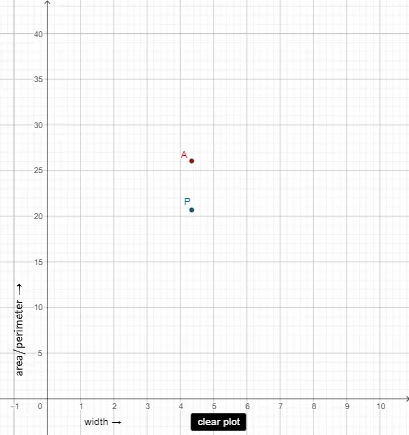
This GeoGebra example demonstrates how to find and construct “equable” rectangles, where the rectangle’s dimensions satisfy a given relationship involving area and perimeter (or an equivalent equability condition). It highlights the geometric phenomenon that valid rectangles correspond to specific intersection/constraint solutions, and it visualizes how length and width are determined. Key math concepts include rectangle area and perimeter, rational-number relationships, and using a tangent function to encode the required constraint. Construction approach: Intersect and Point locate and define critical solution points; Segment and Polygon build the rectangle edges and the filled shape; OrthogonalLine ensures right angles and proper auxiliary lines; RotateText is used for readable rotated labels tied to parameters and computed values. Suitable for late secondary school through early university, especially for geometry construction, function/constraint-based modeling, and guided problem solving.
GeoGebra Commands & Parameters
Intersect(xAxis, yAxis) → APoint(yAxis) → BPoint(xAxis) → COrthogonalLine(C, xAxis) → fOrthogonalLine(B, yAxis) → gIntersect(f, g) → DPolygon(B, D, C, A) → q1, b, height, width, kRotateText("area/perimeter →", π / 2) → text5Intersect(width, k) → GSegment(C, G) → hIntersect(b, height) → HSegment(B, H) → jSegment(H, C) → lSegment(G, C) → iPoint(k) → IPoint(k) → JSegment(I, J) → m
AI Drawing Prompt Reference
Draw a rectangle where its area and perimeter satisfy a specific relationship. Start by plotting the coordinate axes and finding their intersection point. Then determine two points on the axes, draw perpendicular lines from these points to the axes, and find their intersection. Use these points to construct the rectangle. Next, calculate the area and perimeter of the rectangle and label their relationship. Finally, add auxiliary line segments to connect key points, highlighting the rectangle's properties and constraints.
The prompt above was compiled from the original drawing commands and is for reference only.