
Rectangle Under a Parabola: Dynamic Area and Optimization
Loading the math board and drawing, please wait…
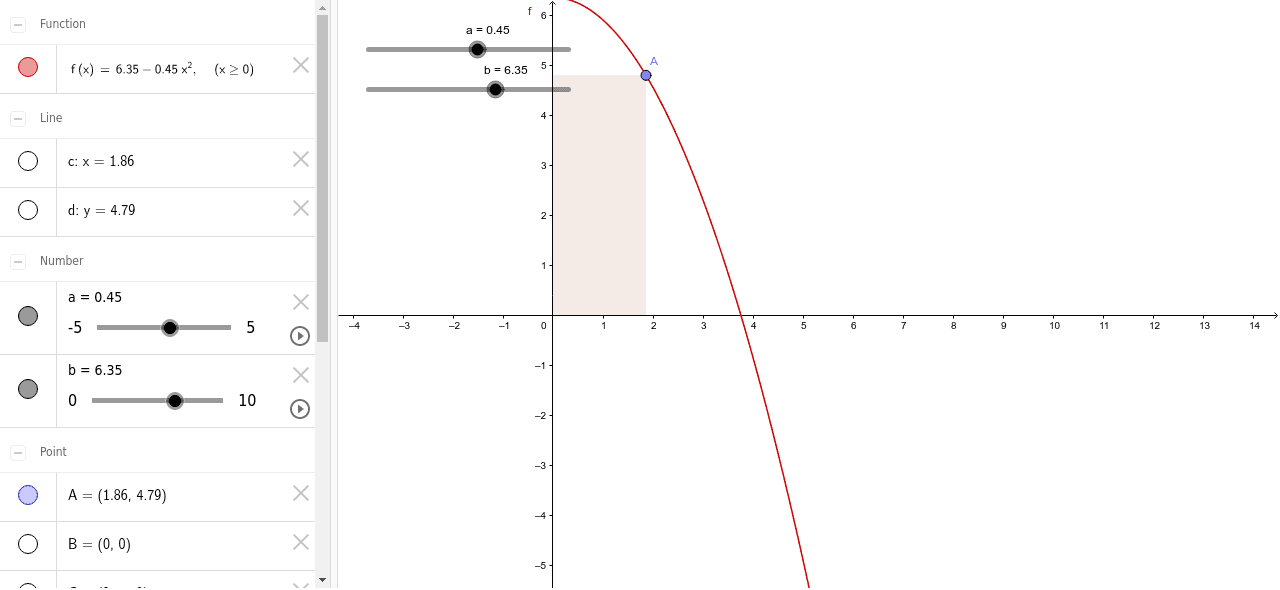
This GeoGebra example demonstrates a rectangle inscribed under a parabola, allowing users to drag a point and observe how the rectangle's area changes. The core mathematical concepts involve quadratic functions, area formulas, optimization, and the interplay between algebraic functions and geometric shapes. The construction uses GeoGebra commands such as Point, OrthogonalLine, Intersect, and Polygon: first define a parabola f, place a point A on it, draw a perpendicular line to the x-axis to get point B, construct symmetric points C and D, and finally form the rectangle poly1 using the Polygon command. By dragging point A or using a slider, learners can visually explore how the area varies and determine the maximum area using properties of quadratic functions. This resource is suitable for upper middle school to high school students, helping them understand quadratic function extrema, function-geometry integration, and serving as an intuitive introduction to optimization ideas in calculus.
GeoGebra Commands & Parameters
Point(f) → AOrthogonalLine(A, xAxis) → cOrthogonalLine(A, yAxis) → dIntersect(xAxis, yAxis) → BIntersect(d, yAxis) → CIntersect(c, xAxis) → DPolygon(B, C, A, D) → poly1, b_1, c_1, a_1, d_1
AI Drawing Prompt Reference
Draw a parabola opening upward. Construct an inscribed rectangle below it, with one side on the x-axis and the opposite side touching the parabola, symmetric about the y-axis. Place a draggable point on the parabola. From this point, draw perpendicular lines to the x-axis and y-axis. The intersections of these perpendiculars with the axes, together with the point itself, define the four vertices of the rectangle. Connect these vertices to form the rectangle and display its area. Drag the point on the parabola to observe how the area changes)Skip and find the position where the area is maximized.
The prompt above was compiled from the original drawing commands and is for reference only.