
Rectangle Transformation Demo by Dan Dale
Loading the math board and drawing, please wait…
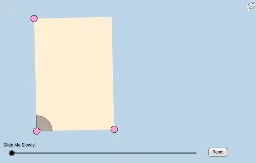
This example illustrates geometric transformations of rectangles, such as translation, rotation, and dilation, without specific lengths or angle measures. Key math concepts include transformation geometry, central symmetry, centroid, and vector operations. GeoGebra commands like Segment, Vector, Translate, Rotate, and Dilate are used in construction. Suitable for high school mathematics classes to visually understand transformational and spatial geometry concepts.
GeoGebra Commands & Parameters
Segment(A, B) → aSlope(a) → cOrthogonalLine(A, a) → ePoint(e) → CRay(A, C) → dPoint(d) → DSegment(A, D) → fLine(D, a) → gLine(B, f) → hIntersect(g, h) → ESegment(D, E) → iSegment(E, B) → jMidpoint(A, E) → FCircle(A, (0.2 * Min[f, i])) → kIntersect(k, f) → G,Intersect(k, a, 1) → HDilate(A, If[0 < l ≤ 1, 1 - l, 0], B) → A'Vector(A, A') → uCircleSector(A, H, G) → pTranslate(p, u) → p'Rotate(p', If[1 < l ≤ 2, ((l - 1) * π / 2), 1.5707963267948966], B) → p''Dilate(B, If[2 < l ≤ 3, 3 - l, 0], E) → B'Vector(B, B') → vTranslate(p'', v) → p'''Rotate(p''', If[3 < l ≤ 4, ((l - 3) * π / 2), 1.5707963267948966], E) → qDilate(E, If[4 < l ≤ 5, 5 - l, 0], D) → E'Vector(E, E') → wTranslate(q, w) → q'Rotate(q', If[5 < l ≤ 6, ((l - 5) * π / 2), 1.5707963267948966], D) → q''Dilate(D, If[6 < l ≤ 7, 7 - l, 0], F) → D'Vector(D, D') → mSegment(D, D') → nDilate(F, If[7 < l ≤ 8, 8 - l, 0], B) → F'Segment(F, F') → rDilate(A, If[8 < l ≤ 9, 9 - l, 0], F) → A'_1Segment(A, A'_1) → sDilate(F, If[9 < l ≤ 10, 10 - l, 0], E) → F'_1Segment(F, F'_1) → tPolygon(A, B, E, D) → poly1, a_1, b_1, e_1, d_1Angle(E, F, D) → αAngle(B, A, F) → γAngle(F, A, D) → δRotate(F, If[10 < l ≤ 11, ((l - 10) * α), α], F) → F'_2Rotate(F'_1, If[10 < l ≤ 11, ((l - 10) * α), α], F) → ISegment(F'_2, I) → t'Rotate(F'_2, If[11 < l ≤ 12, ((l - 11) * (π - α)), π - α], F) → JRotate(I, If[11 < l ≤ 12, ((l - 11) * (π - α)), π - α], F) → I'Segment(J, I') → t''Rotate(J, If[12 < l ≤ 13, ((l - 12) * α), α], F) → J'Rotate(I', If[12 < l ≤ 13, ((l - 12) * α), α], F) → I''Segment(J', I'') → t'''Segment(A, F) → c_1Intersect(k, c_1) → K,CircleSector(A, H, K) → f_1CircleSector(A, K, G) → g_1Dilate(A, If[16 < l ≤ 17, 17 - l, 0], E) → A'_2Dilate(A, If[16 < l ≤ 17, 17 - l, 0], B) → A'_3Dilate(A, If[16 < l ≤ 17, 17 - l, 0], D) → A'_4Vector(A, A'_3) → u_1Vector(A, A'_2) → v_1Vector(A, A'_4) → w_1Translate(f_1, u_1) → h_1Translate(f_1, v_1) → k_1Translate(f_1, w_1) → p_1Rotate(h_1, If[17 < l ≤ 18, ((l - 17) * (π / 2 + δ)), π / 2 + δ], B) → q_1Rotate(p_1, If[17 < l ≤ 18, ((l - 17) * ((3 * π / 2) + δ)), (3 * π / 2) + δ], D) → r_1Rotate(k_1, If[17 < l ≤ 18, ((l - 17) * π), 3.141592653589793], E) → s_1Dilate(A, If[18 < l ≤ 19, 19 - l, 0], E) → A'_5Dilate(A, If[18 < l ≤ 19, 19 - l, 0], D) → A'_6Dilate(A, If[18 < l ≤ 19, 19 - l, 0], B) → A'_7Vector(A, A'_7) → i_1Vector(A, A'_5) → j_1Vector(A, A'_6) → l_1Translate(g_1, l_1) → t_1Translate(g_1, j_1) → c_2Translate(g_1, i_1) → d_2Rotate(d_2, If[19 < l ≤ 20, ((l - 19) * δ), δ], B) → e_2Rotate(c_2, If[19 < l ≤ 20, ((-(l - 19)) * π), -3.141592653589793], E) → f_2Rotate(t_1, If[19 < l ≤ 20, ((l - 19) * (π + δ)), π + δ], D) → g_2
AI Drawing Prompt Reference
Draw a rectangle with one horizontal side and one slanted side from an endpoint. Inside, draw a segment from the midpoint of the horizontal side to the opposite slanted side, marking their intersection. Center a small arc at this intersection, intersecting both sides, then translate and rotate this arc sequentially along the rectangle's boundary to create moving sectors. Also draw several dynamic segments between vertices showing shrinking or expanding motion, and label three key angles to illustrate rotation and symmetry transformations.
The prompt above was compiled from the original drawing commands and is for reference only.