
Rectangle Perimeter and Area by topherdew
Loading the math board and drawing, please wait…
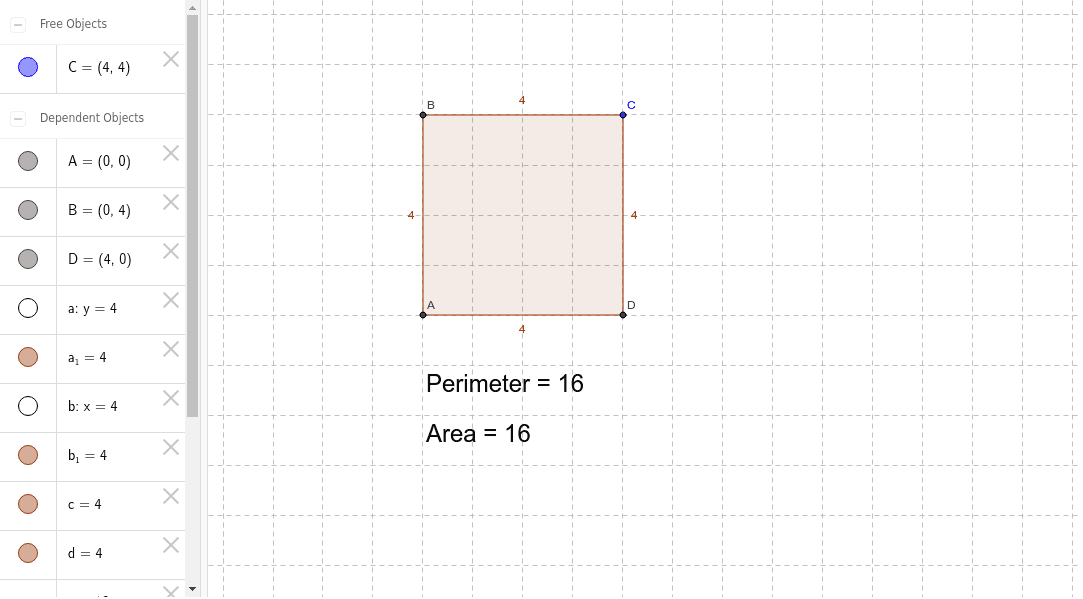
This example demonstrates the calculation of perimeter and area for rectangles. It involves core math concepts like perimeter, area, and rectangle properties. Constructed using GeoGebra commands such as Intersect, OrthogonalLine, Polygon, Perimeter, and Area. Suitable for middle school and above students learning geometric calculations and optimization problems.
GeoGebra Commands & Parameters
Intersect(xAxis, yAxis) → AOrthogonalLine(C, yAxis) → aOrthogonalLine(C, xAxis) → bIntersect(a, yAxis) → BIntersect(b, xAxis) → DPolygon(A, B, C, D) → poly1, a_1, c, b_1, dPerimeter(poly1) → eArea(poly1) → f
AI Drawing Prompt Reference
Draw a rectangle and label its perimeter and area. Start by finding the intersection point of the x-axis and y-axis. Then draw perpendicular lines from this point to both axes, obtaining two intersection points. Use these four points to form a rectangle. Finally, label the perimeter and area of the rectangle next to the shape.
The prompt above was compiled from the original drawing commands and is for reference only.