
Rectangle Exploration by Alessa Strelecki
Loading the math board and drawing, please wait…
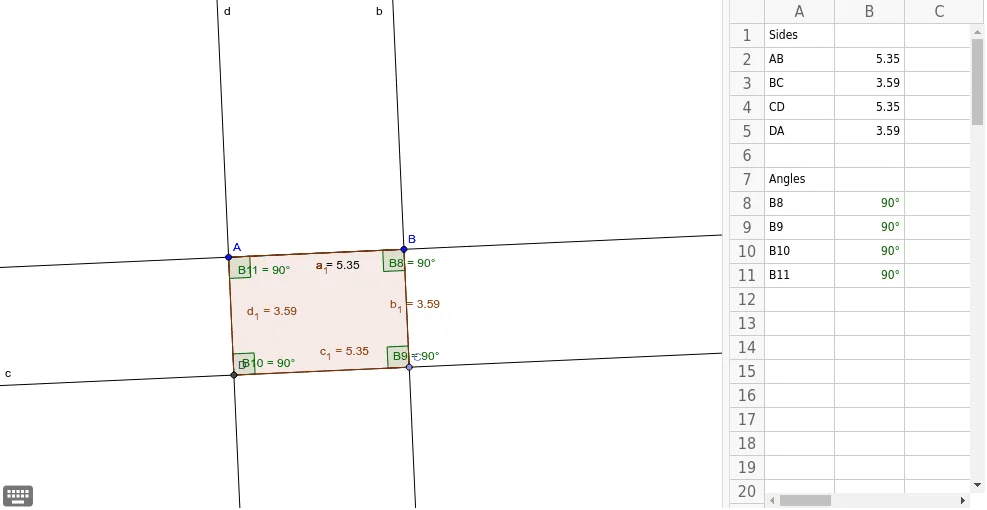
This example demonstrates the geometric properties of rectangles and the construction process of related shapes. Key math concepts include vectors, polygons, coordinate geometry, and geometric construction. It utilizes commands like Segment, OrthogonalLine, Point, Line, Intersect, Polygon, Distance, and Angle in GeoGebra for construction. Suitable for high school mathematics teaching or student exploration of geometric properties.
GeoGebra Commands & Parameters
Segment(A, B) → aOrthogonalLine(B, a) → bPoint(b) → CLine(C, a) → cOrthogonalLine(A, a) → dIntersect(c, d) → DPolygon(A, B, C, D) → poly1, a_1, b_1, c_1, d_1Distance(b_1, a) → eLine(A, c_1) → fDistance(A, B) → ABDistance(B, C) → BCDistance(C, D) → CDDistance(D, A) → DAAngle(A, B, C) → B8Angle(B, C, D) → B9Angle(C, D, A) → B10Angle(D, A, B) → B11
AI Drawing Prompt Reference
Draw a rectangle by starting with one side, then draw a perpendicular line from one endpoint to create a vertex, and connect this vertex to the other endpoint to form the second side. Repeat this process from the new endpoint to complete the rectangle. Measure and label the lengths of all sides and the sizes of all interior angles.
The prompt above was compiled from the original drawing commands and is for reference only.