
Rectangle Exploration by Alessa Strelecki (2)
Loading the math board and drawing, please wait…
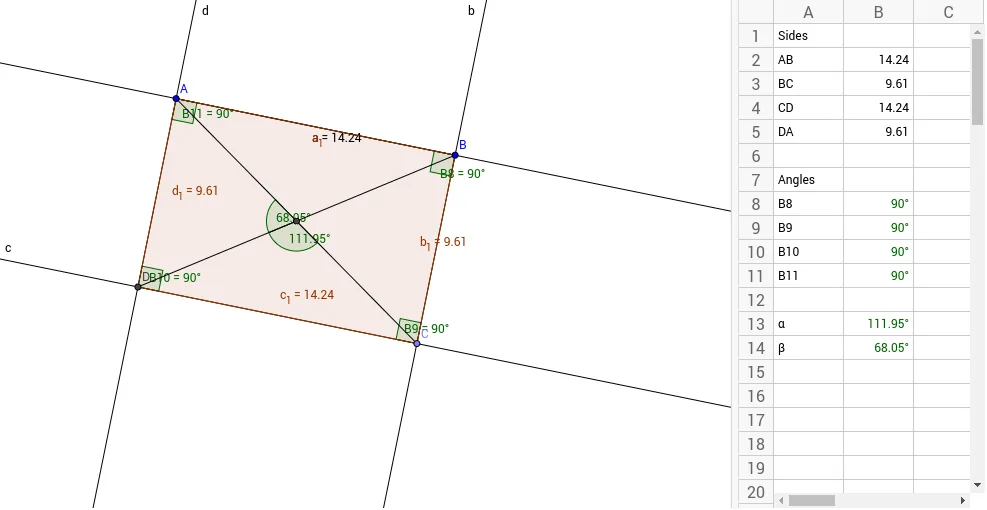
This example demonstrates the geometric properties of rectangles and the dynamic relationships between related shapes. Core math concepts include: Rectangle, Isosceles Triangles, Continuity, Polynomial Functions, Linear Equations, Secant Line. Construction highlights involve commands like Segment, OrthogonalLine, Point, Line, Intersect, Polygon, Distance, Angle. Suitable for high school mathematics teaching, exploring the connection between geometric transformations and function graphs.
GeoGebra Commands & Parameters
Segment(A, B) → aOrthogonalLine(B, a) → bPoint(b) → CLine(C, a) → cOrthogonalLine(A, a) → dIntersect(c, d) → DPolygon(A, B, C, D) → poly1, a_1, b_1, c_1, d_1Distance(b_1, a) → eLine(A, c_1) → fDistance(A, B) → ABDistance(B, C) → BCDistance(C, D) → CDDistance(D, A) → DAAngle(A, B, C) → B8Angle(B, C, D) → B9Angle(C, D, A) → B10Angle(D, A, B) → B11Segment(A, C) → gSegment(B, D) → hIntersect(g, h) → EAngle(h, g) → B13Angle(A, E, D) → B14
AI Drawing Prompt Reference
Draw a rectangle by constructing two perpendicular line segments and their intersection point. Inside the rectangle, draw the diagonals connecting opposite corners. Also calculate the lengths of the sides and angles to illustrate geometric properties.
The prompt above was compiled from the original drawing commands and is for reference only.