
Rectangle 1
Loading the math board and drawing, please wait…
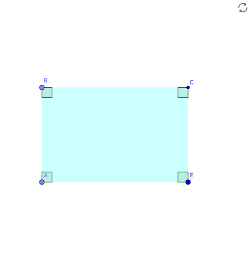
This example demonstrates the construction of a rectangle. Key mathematical concepts include geometric mean and angles. Using GeoGebra commands such as Point, Segment, OrthogonalLine, Intersect, etc., a rectangle is constructed and its properties are analyzed. Suitable for students at the junior high school level and above for geometric construction.
GeoGebra Commands & Parameters
Point(yAxis) → A_1Segment(A_1, E) → fPoint(f) → AOrthogonalLine(A, f) → gPoint(g) → BSegment(A, E) → hSegment(A, B) → iOrthogonalLine(E, f) → jOrthogonalLine(B, i) → kIntersect(j, k) → CPolygon(A, B, C, E) → poly1, c, d, e, bAngle(A, B, C) → αAngle(B, C, E) → βAngle(B, A, E) → γAngle(A, E, C) → δ
AI Drawing Prompt Reference
Draw a rectangle by first taking a point A on the y-axis, then drawing a horizontal segment f through A, followed by taking a point B on f and drawing a perpendicular line g from B to f, then taking a point C on g and drawing a perpendicular line j from C to f and a perpendicular line k from C to segment AE, with the intersection of j and k being the fourth vertex D of the rectangle. Finally, connect the points to form the rectangle and analyze its angles.
The prompt above was compiled from the original drawing commands and is for reference only.