
Random Shading
Loading the math board and drawing, please wait…
In collections
Randomised Questions
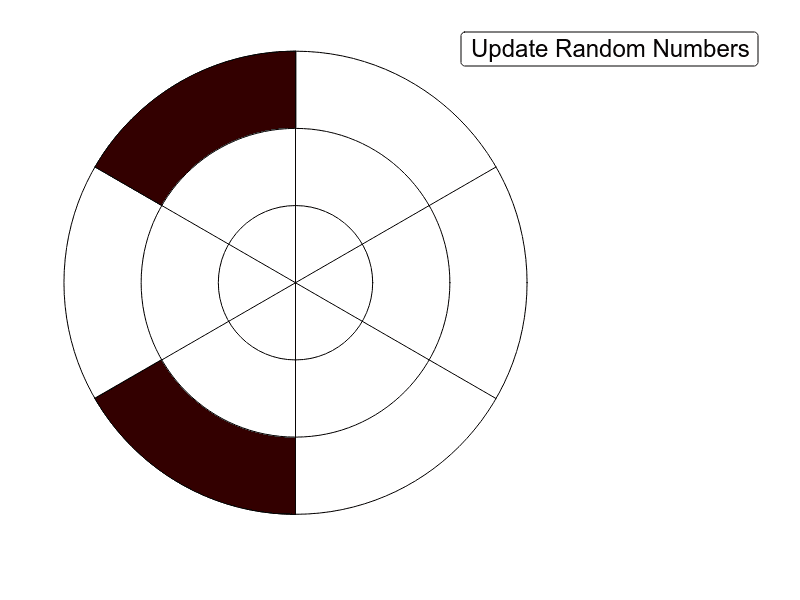
Random Shading demonstrates how random rotation and shading of rectangular regions can illustrate the relationship between binomial distribution and linear regression. The core mathematical concepts include rectangle congruence, multiplication, binomial probability models, and linear regression analysis. The construction uses GeoGebra commands Rotate, CircleSector, Circle, and Segment, along with objects A1‑G7 to generate dynamic random shading patterns. It is suitable for high school or university-level courses combining statistics and geometry, helping students intuitively grasp the connection between random phenomena and statistical models.
GeoGebra Commands & Parameters
Rotate(A1, 60°) → A2Rotate(A1, (60° * 2)) → A3Rotate(A1, (60° * 3)) → A4Rotate(A1, (60° * 4)) → A5Rotate(A1, (60° * 5)) → A6CircleSector((0, 0), A1, A2) → B1CircleSector((0, 0), A2, A3) → B2CircleSector((0, 0), A3, A4) → B3CircleSector((0, 0), A4, A5) → B4CircleSector((0, 0), A5, A6) → B5CircleSector((0, 0), A6, A7) → B6Circle((0, 0), 4) → C1CircleSector((0, 0), D1, D2) → E1CircleSector((0, 0), D2, D3) → E2CircleSector((0, 0), D3, D4) → E3CircleSector((0, 0), D4, D5) → E4CircleSector((0, 0), D5, D6) → E5CircleSector((0, 0), D6, D7) → E6Circle((0, 0), 2) → F1CircleSector((0, 0), G1, G2) → H1CircleSector((0, 0), G2, G3) → H2CircleSector((0, 0), G3, G4) → H3CircleSector((0, 0), G4, G5) → H4CircleSector((0, 0), G5, G6) → H5CircleSector((0, 0), G6, G7) → H6Segment(A2, A5) → aSegment(A1, A4) → bSegment(A6, A3) → cCircle((0, 0), 2) → dCircle((0, 0), 4) → eCircle((0, 0), 6) → f
AI Drawing Prompt Reference
Draw concentric circular rings with radii of 2, 4, and 6. First, draw a circle with a radius of 2, then draw a larger circle with a radius of 4 and six 60-degree sectors inside it. Next, draw an even larger circle with a radius of 6 and six 60-degree sectors inside it. Finally, rotate rectangles around a central point to create a random shading effect.
The prompt above was compiled from the original drawing commands and is for reference only.