
Random Points and Polygons in Motion
Loading the math board and drawing, please wait…
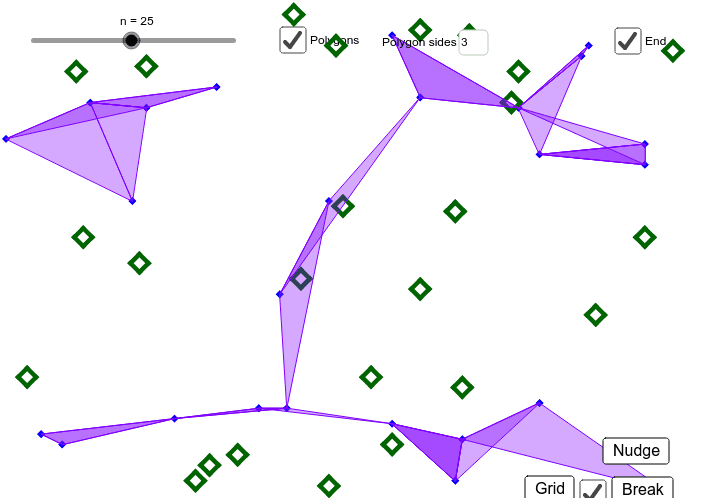
① This example demonstrates a dynamic visualization of randomly generated points and the polygons they form, which move, deform, and have their areas computed in real time. ② Core mathematical concepts include random point generation, polygon area calculation, geometric transformations (translation/rotation), expected value, and properties of isosceles triangles and prisms. ③ Construction highlights: using GeoGebra commands such as Sequence to generate random point lists (list1, list2), Textfield and inputBox1 for interactive input, buttons (button1, button2, button3) to trigger randomization, motion, or reset; polysides defines the number of polygon sides, matrix1 applies matrix transformations, rtn, t, m control rotation and translation, and a, b, c are adjustable parameters. ④ Suitable for high school or college-level geometry and probability/statistics classes, as well as math lab sessions, to help students intuitively grasp the dynamic relationship between random processes and geometric quantities.
GeoGebra Commands & Parameters
Sequence((x(Corner[1]) + (Random[1, 99] * (x(Corner[2]) - x(Corner[1])) / 100), y(Corner[1]) + (Random[1, 99] * (y(Corner[4]) - y(Corner[1])) / 100)), i, 1, n) → list1Sequence(Sequence[Distance[Element[list2, i], Element[list2, j]], j, 1, n], i, 1, n) → matrix1Sequence(Polygon[RemoveUndefined[Sequence[If[Distance[Element[list2, i], Element[list2, j]] ≤ Element[Sort[Element[matrix1, i]], polysides], Element[list2, j]], j, 1, n]]], i, 1, n) → list5Textfield(polysides) → inputBox1Sequence((Mod[i, rtn], (i - Mod[i, rtn]) / rtn), i, 0, n - 1) → list4
AI Drawing Prompt Reference
Draw a set of dynamic polygons, each formed by randomly generated points. First, generate random points, then calculate the distances between these points, and finally select the points that form polygons based on these distances. Use a slider to adjust the number of polygon sides and buttons to control the movement and reset of the polygons.
The prompt above was compiled from the original drawing commands and is for reference only.