
Random Integer Generator
Loading the math board and drawing, please wait…
In collections
Probability & Statistics
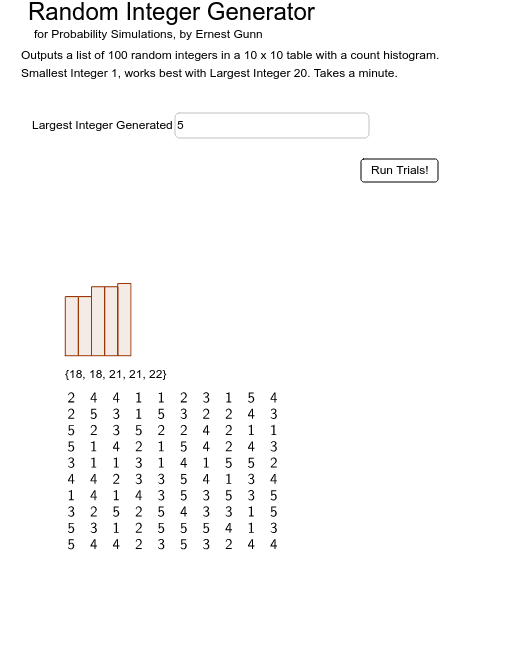
This example is designed for probability simulations, generating a list of 100 random integers between 1 and a specified largest integer. It covers key concepts in probability and statistics, using commands like Sequence, Random, Textfield, TableText, Frequency, and Histogram. Suitable for teaching and learning probability and statistics.
GeoGebra Commands & Parameters
Sequence(largest + 1) → L2Random(1, largest) → nSequence(n, i, 1, trials) → LTextfield(trials) → inputBox3Textfield(smallest) → inputBox4Textfield(largest) → inputBox5Sequence(Element[L, i], i, 1, 10) → LaSequence(Element[L, i], i, 11, 20) → LbSequence(Element[L, i], i, 21, 30) → LcSequence(Element[L, i], i, 31, 40) → LdSequence(Element[L, i], i, 41, 50) → LeSequence(Element[L, i], i, 51, 60) → LfSequence(Element[L, i], i, 61, 70) → LgSequence(Element[L, i], i, 71, 80) → LhSequence(Element[L, i], i, 81, 90) → LiSequence(Element[L, i], i, 91, 100) → LjTableText({La, Lb, Lc, Ld, Le, Lf, Lg, Lh, Li, Lj}) → text3Frequency(L2, L) → list1TableText({La, Lb, Lc, Ld, Le, Lf, Lg, Lh, Li, Lj}, "r") → TlistHistogram(L2, L, true, largest / 20) → a
AI Drawing Prompt Reference
Generate a list of 100 random integers between 1 and a specified largest integer. Use a slider to input the largest integer, then generate the random number list. Divide the list into 10 parts, each containing 10 numbers, and display the numbers in each part. Count the frequency of each integer and draw a histogram.
The prompt above was compiled from the original drawing commands and is for reference only.