
Rainbow Circles Animation with Parametric Curves
Loading the math board and drawing, please wait…
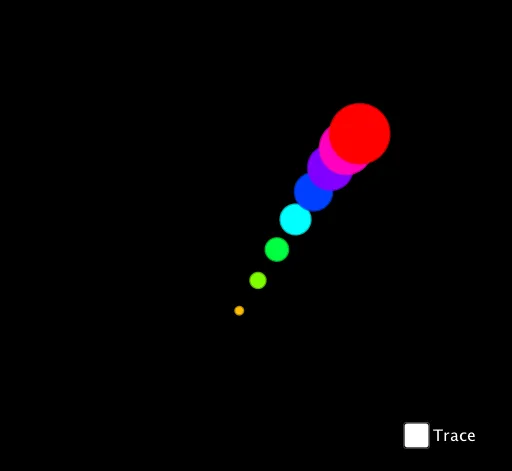
This example demonstrates the animation of rainbow circles using parametric curves, highlighting the relationship between parametric equations and circles. Key mathematical concepts include parametric equations, continuity, and coordinate transformations. Construction involves using CurveCartesian and Circle commands, with objects such as button1, parameter t, circle center c, and radius a. Suitable for high school students learning parametric equations and geometric transformations, useful in math teaching and experimental demonstrations.
GeoGebra Commands & Parameters
CurveCartesian((2 * cos((3 * t))) + (2 * sin((3 * t))), (2 * cos((5 * t))) + (2 * sin((3 * t))), t, 0, (2 * π)) → cCircle(c(t + 1 / 20), 1 / 12) → A1Circle(c(t + 2 / 20), 2 / 12) → A2Circle(c(t + 3 / 20), 3 / 12) → A3Circle(c(t + 4 / 20), 4 / 12) → A4Circle(c(t + 5 / 20), 5 / 12) → A5Circle(c(t + 6 / 20), 6 / 12) → A6Circle(c(t + 7 / 20), 7 / 12) → A7Circle(c(t + 8 / 20), 8 / 12) → A8
AI Drawing Prompt Reference
Draw a colorful parametric curve that traces a complex petal-like path in the plane. Along this curve, place a series of circles at equal arc-length intervals, with their centers positioned on the curve at successive points. The radii of these circles increase gradually from small to large, creating a rainbow gradient effect from red to purple. The overall composition appears as a rotating, dynamic arrangement. To construct, first draw the base curve, then mark equally spaced points along it, and finally draw circles centered at these points with increasing radii, resulting in a set of nested, color-graded rings.
The prompt above was compiled from the original drawing commands and is for reference only.