
Quadratic in Vertex Form with Key Features
Loading the math board and drawing, please wait…
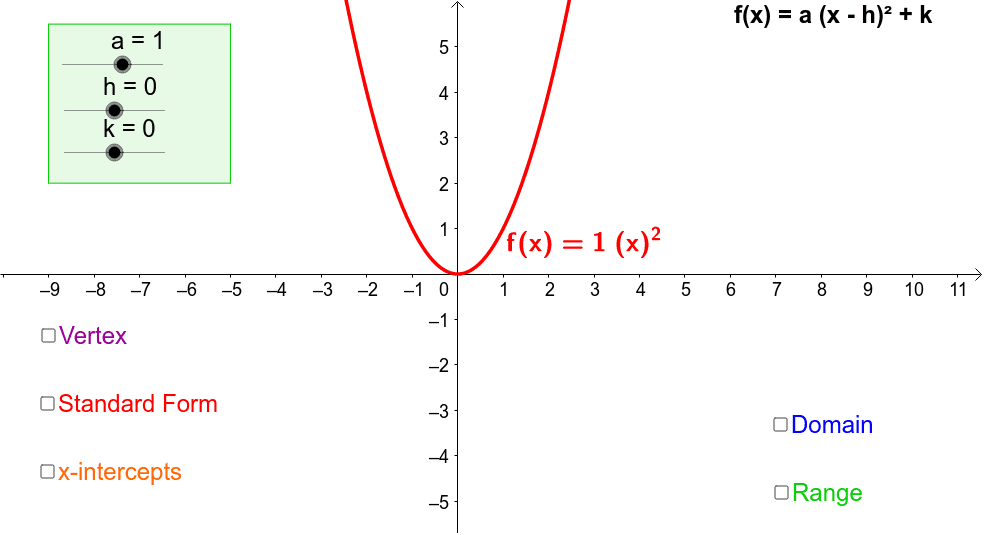
This example demonstrates how to transform a quadratic function and observe changes in its domain, range, and key features of the graph. The core math concepts involved include vertex form of quadratic functions, transformations, and key features such as vertex, axis of symmetry, and direction of opening. The construction uses GeoGebra commands/objects like Polygon, Intersect, Point, Line, Ray; objects include k, h, a, u, f, A, B, C, D, poly1, a_1, b, c, d, Vertex, E, F, R, G, H, I, i, text12, j, l, text13, m, n, text17, text18, text16, text19, o, p, text02, v, text15, text01, text03, text11. It is suitable for high school students learning about quadratic functions and their transformations.
GeoGebra Commands & Parameters
Polygon(A, B, C, D) → poly1, a_1, b, c, dIntersect(f, xAxis) → E, FPoint(xAxis) → HPoint(xAxis) → ILine(H, I) → iRay(R, G) → m
AI Drawing Prompt Reference
Draw a quadratic function in vertex form with key features such as vertex A, focus F, axis of symmetry i, and direction of opening. First, draw a quadrilateral ABCD, then find the intersection points E and F of the function f with the x-axis. Next, take two points H and I on the x-axis and connect them with a line i. Finally, draw a ray m from point F to represent the axis of symmetry.
The prompt above was compiled from the original drawing commands and is for reference only.